AI contract review: key terms and risks, with page references
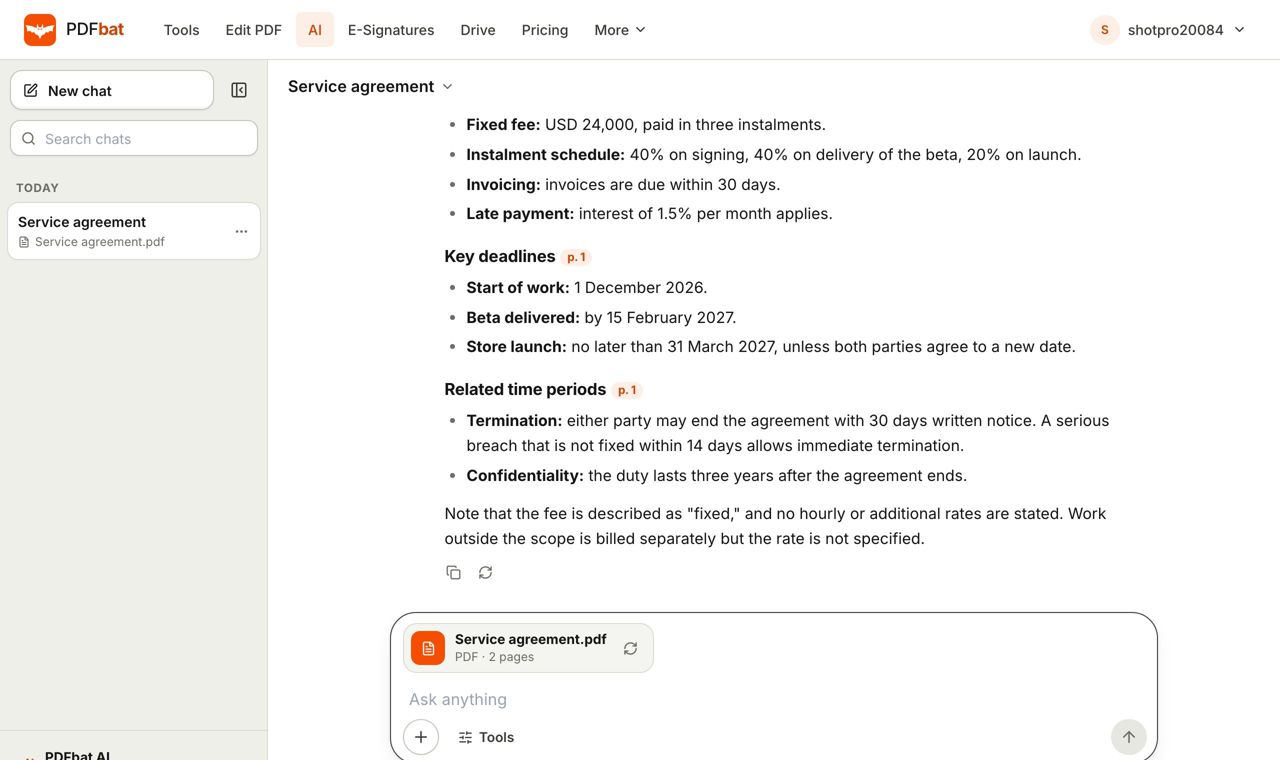
Upload a contract, even a scan, and PDFbat AI lists the parties, dates, amounts, obligations, renewal and termination terms and clauses worth a closer look, each with the page it appears on.
- Page references for every point
- Works on scans
- Not legal advice
Know what you are signing before you sign it
Most people sign contracts they have only skimmed: a lease, a freelance agreement, an NDA, a vendor order form, a service contract. The risk sits in a few lines about auto renewal, liability, payment timing or ending the agreement, and those lines are easy to miss on page eleven.
AI contract review reads the whole document and gives you a structured overview: who the parties are, the start and end dates, amounts and payment terms, each side's obligations, how renewal and termination work, and clauses that may need attention. Every point cites the page, so you can read the exact wording yourself.
It is designed to help you understand and prepare, not to replace a lawyer. Use it to get oriented quickly, to prepare better questions, and to catch things before a call or negotiation. For high value or unusual deals, have a qualified professional review the final document.
What the review covers
Parties and roles
Who is who, with names and defined terms such as Client, Supplier or Landlord.
Key dates
Effective date, term, notice periods, deadlines and renewal dates.
Amounts and payment
Fees, deposits, penalties, late interest and payment schedules.
Obligations
What each side must do, deliver or avoid.
Risks to check
Clauses on auto renewal, liability, indemnity, exclusivity and unusual terms.
Page references
Every point cites the page, so you can verify the wording.
How to review a contract with AI
- 1
Upload the contract
Open PDFbat AI and add the PDF or a scan, up to 300 pages.
- 2
Choose contract review
Pick Contract review. The result lists terms and flagged clauses, each with a page reference.
- 3
Read the source and ask more
Open the cited pages to confirm. Use chat with PDF to ask follow up questions.
What you get in the review
- Summary of the deal
- A short description of what the contract is for and who it binds.
- Term and renewal
- Start, end, notice periods, automatic renewal and how to cancel.
- Termination
- How either side can end the agreement and what happens next.
- Money terms
- Prices, fees, taxes, penalties and payment timing.
- Liability and indemnity
- Caps, exclusions and who covers what.
- Confidentiality and IP
- Who owns the work and how information must be protected.
- Scans supported
- Signed paper copies are read with OCR first.
- Next steps
- Redact private data with redact PDF, then collect signatures with e signatures.
Contracts people review most often
- Rental and lease agreements, including renewal and deposit clauses.
- Freelance, consulting and employment contracts.
- NDAs and partnership agreements.
- Vendor, SaaS and service agreements with auto renewal.
What AI review cannot do
AI can misread unusual wording, miss context outside the document, and does not know your local law. It is not legal advice and does not create a lawyer client relationship. Treat flagged risks as prompts to read the clause, not as a verdict. If a contract is long, high value or governed by law you do not know, ask a qualified lawyer. Keep documents private: PDFbat stores files in your own account over HTTPS, and you can remove personal details with smart redact before sharing a copy.
Frequently asked questions
Is AI contract review legal advice?
No. It helps you understand and prepare. For important or unusual contracts, ask a qualified lawyer.
What does it find?
Parties, dates, amounts, obligations, renewal and termination terms, and clauses that may be risky, with page references.
Does it work on a scanned contract?
Yes. Scanned pages are read with OCR first.
How long can the contract be?
Up to 300 pages.
How much does it cost?
Free accounts get 200 AI credits a month and Pro gets 4,000. Each action costs credits based on its size, and credit packs from $5 never expire.
Can I ask questions about a clause?
Yes. Use chat with PDF for follow ups.
Can I sign the contract after reviewing it?
Yes. Use Fill and Sign for your own signature or e signatures to collect others.
Related features and tools
AI PDFChat with a PDF, summarize, translate, extract data, review contracts and redact personal data with AI.Chat with PDFAsk questions about any PDF and get answers that cite the page, including scanned documents, up to 300 pages.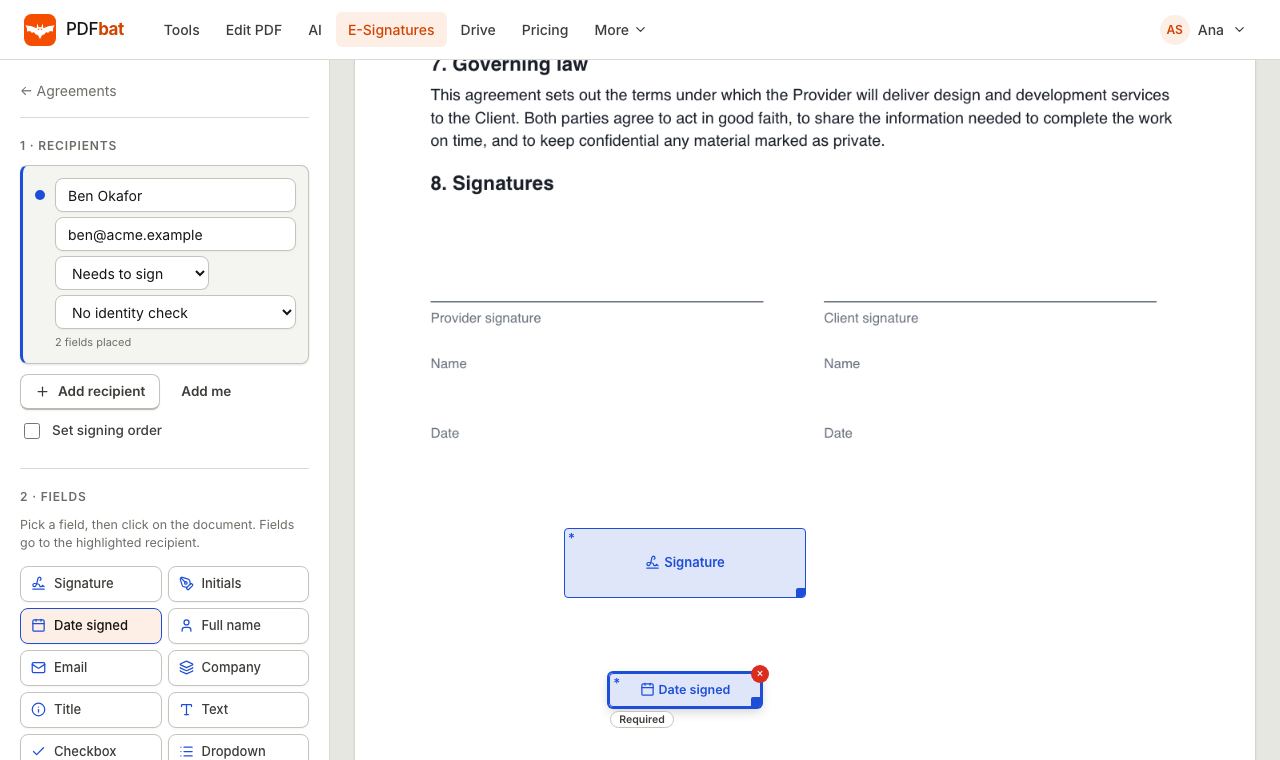 E-SignaturesSend PDFs for legally binding e signatures with signing order, identity checks, reminders and a sealed final PDF.
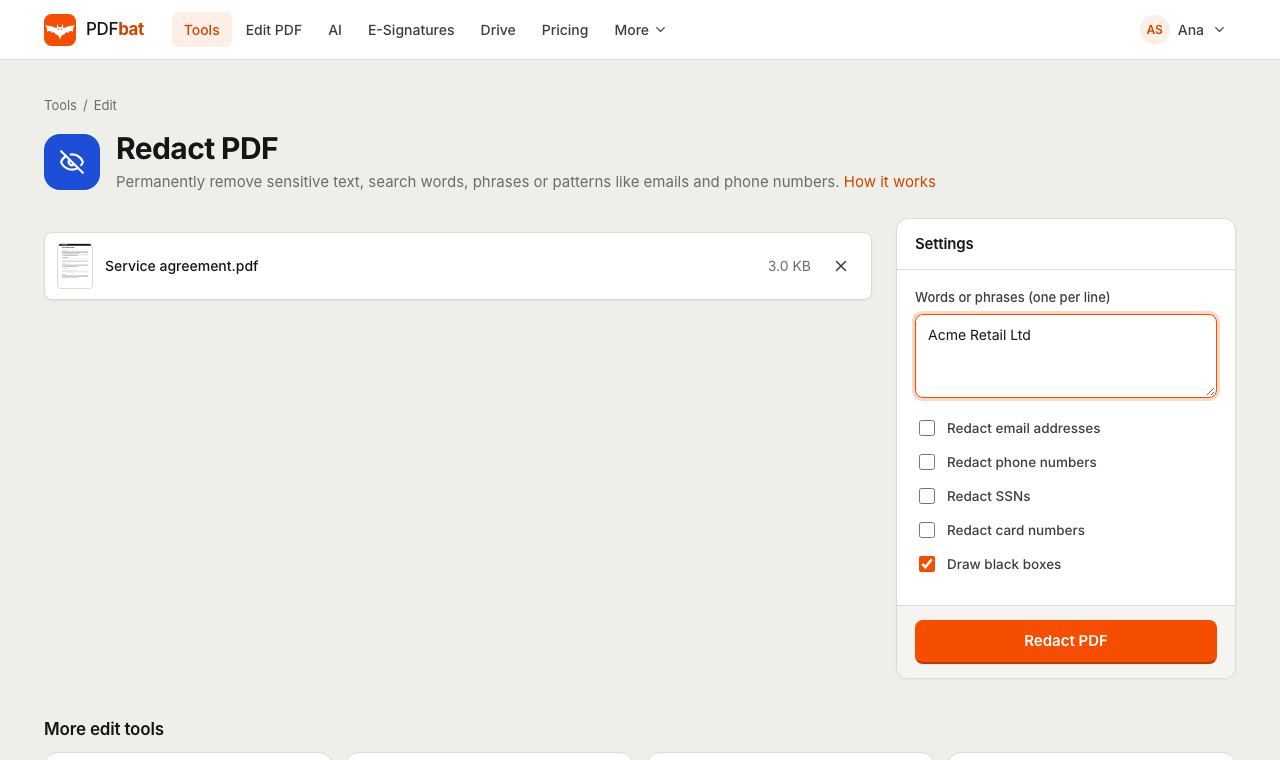 Redact PDFPermanently remove names, emails, phone numbers and card numbers from a PDF.
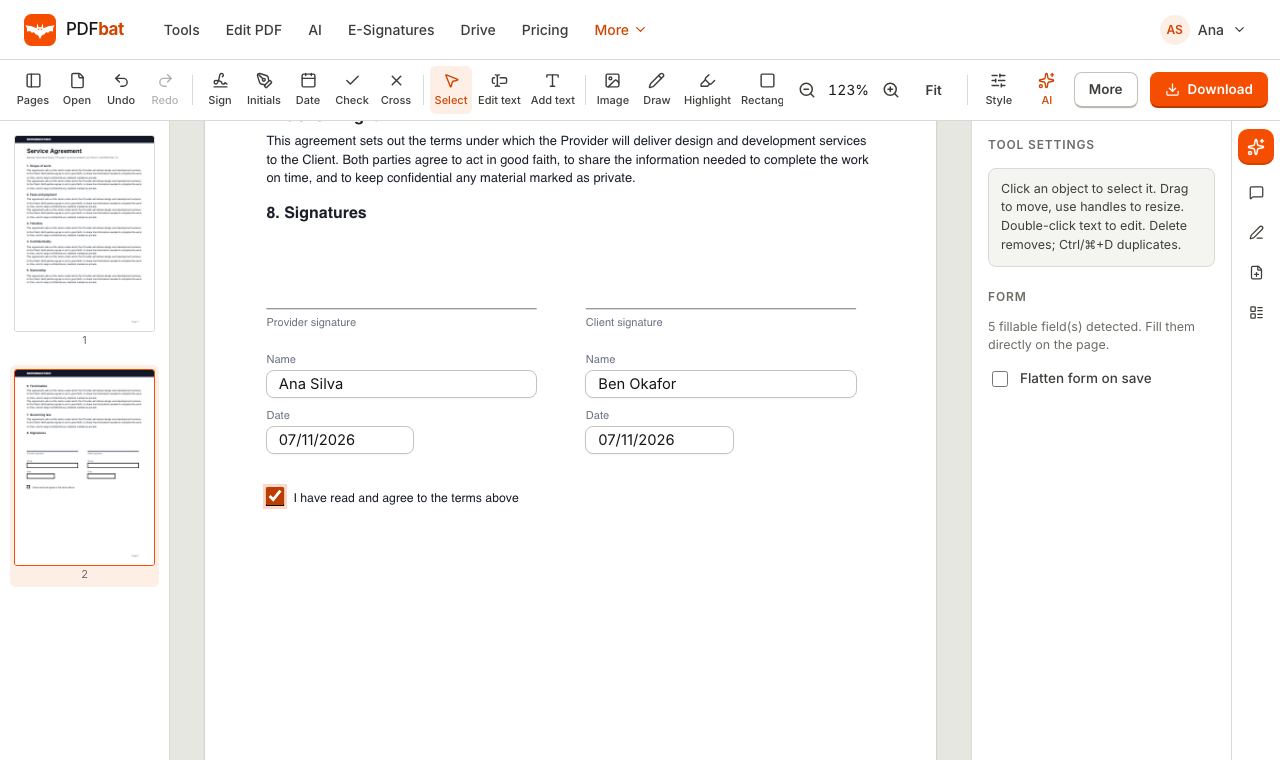 Fill and SignFill PDF forms, sign, add initials, dates and checkmarks, then flatten and download.
 OCR PDFMake scanned PDFs searchable and copyable in 45 languages, with a second language for mixed documents.
Review your contract now
Upload it, read the key terms and risks with page references, then decide what to ask or change.