Fill and sign PDF forms online in under a minute
Type into any PDF form, add your signature, initials and today's date, tick the boxes and download a finished document. No printing, no scanning and no app to install.
- Free plan, no credit card
- Nothing to install
- Works on phone, tablet and desktop
Built for the forms you get every week
Rental applications, onboarding packs, school permission slips, tax forms, invoices and NDAs all arrive as PDFs that need a few details and a signature. Fill and Sign opens the file with the signing tools first in the toolbar, so you can complete it the moment it lands in your inbox.
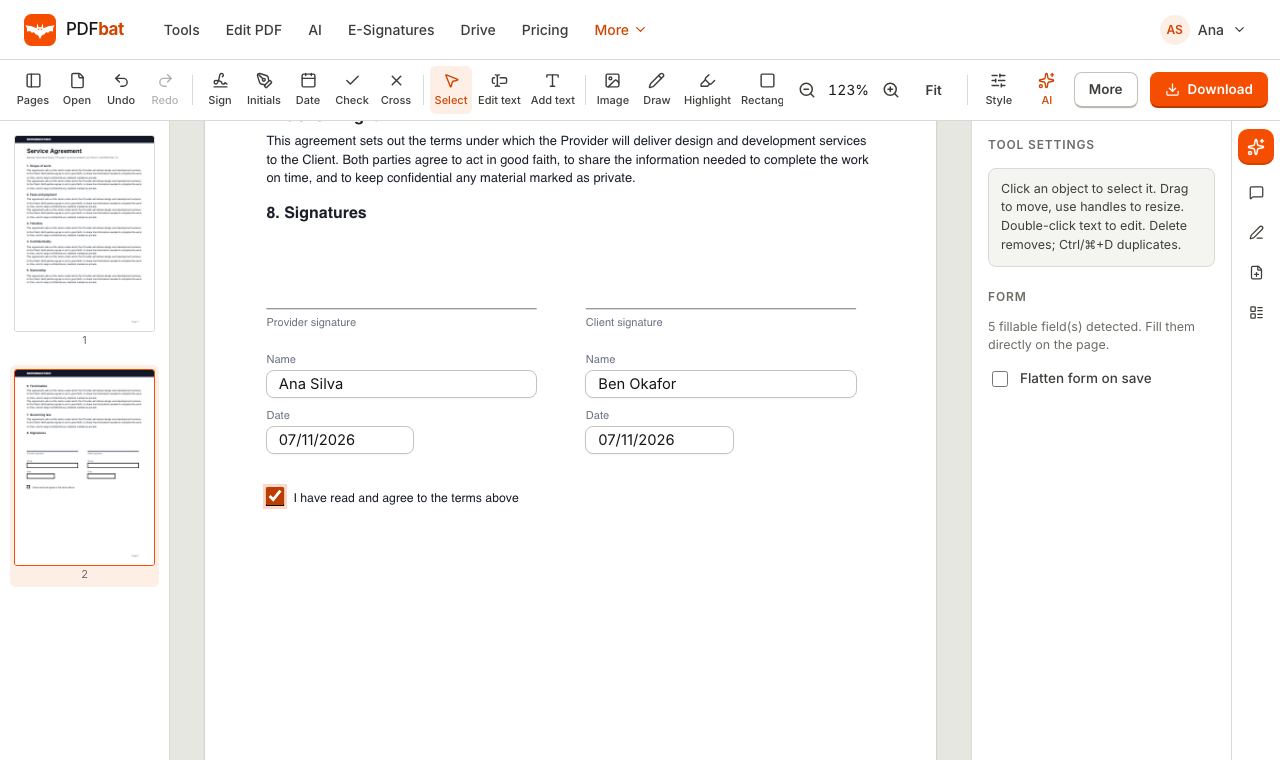
If the PDF has real form fields, you type straight into them: text boxes, checkboxes, radio buttons, dropdowns and list boxes all work on the page. If it is a flat PDF or a scan with lines to write on, click anywhere and add text, a checkmark or a cross exactly where it belongs. Your signature is placed as an image you can move and resize, and you can save it for next time.
Why it is the fastest way to finish a form
Three ways to sign
Draw with a mouse, finger or stylus, type your name in a handwriting style, or upload a photo of your signature with the background removed automatically.
Real form fields
Text fields, checkboxes, radio buttons, dropdowns and list boxes in the PDF are filled directly, not covered with loose text.
Date, check and cross
Add today's date, tick marks and crosses with one click each, sized to match the form.
Flatten on save
Turn on Flatten form on save so the values become part of the page and cannot be changed by the recipient.
Works on your phone
Sign with your finger on iPhone or Android in the browser, then share the PDF straight from your phone.
How it works
- 1
Open the form
Drop the PDF onto Fill and Sign, choose it from your device, or open it from your PDFbat Drive.
- 2
Fill and sign
Type into the fields, then pick Sign, Initials, Date, Check or Cross and click where each one goes. Move or resize anything until it looks right.
- 3
Download or send
Download the completed PDF, optionally flattened. A copy is kept in your Drive so you can email or share it later.
Everything in Fill and Sign
- Signature
- Draw, type or upload. Pick an ink color, and tick Save for next time to reuse it on future documents with one click.
- Initials
- A separate initials mark, prefilled from your name, for documents that need initials on every page.
- Date
- Places today's date as text that you can move and restyle.
- Check and cross
- Clean vector tick and cross marks for checkboxes on flat or scanned forms.
- Fill form fields
- Interactive PDF forms are detected automatically. Text, checkbox, radio, dropdown and list fields are editable on the page.
- Add text anywhere
- For forms without fields, click on a line and type. Any language and script is supported, including right to left writing.
- Flatten form on save
- Merges field values into the page so the form can no longer be edited. You can also flatten later with Flatten PDF.
- Full editor when you need it
- Images, highlights, shapes, whiteout, redaction and comments are one click away in the same toolbar. See the PDF Editor.
- Undo and redo
- Every placement and field value can be undone until you download.
Fill and Sign or E-Signatures?
Use Fill and Sign when you are the only person who needs to complete and sign the document. It is instant and private, and the free plan covers it within the daily task limit.
Use E-Signatures when other people need to sign. You place fields for each recipient, PDFbat emails them a secure link, tracks who has viewed and signed, and seals the final PDF with an audit trail and a certificate of completion. Signers do not need an account.
Tips for forms that look professional
- Zoom in before placing a signature on a small line, then resize it so it sits just above the line.
- For a scanned form, use Add text with a font size close to the printed labels so your answers look aligned.
- Turn on Flatten form on save before you send a form you do not want changed.
- If a form is password protected, PDFbat asks for the password when you open it. To remove it permanently, use Unlock PDF.
PDFbat compared with Adobe Acrobat and DocuSign
| Feature | PDFbat | Adobe Acrobat Pro | DocuSign Personal |
|---|---|---|---|
| Price | Free plan, Pro $4/mo | $19.99/mo, annual plan | From $11/mo |
| Fill interactive form fields | Yes | Yes | Inside its own signing flow |
| Sign by drawing, typing or uploading | Yes | Yes | Yes |
| Edit the PDF text in the same app | Yes | Yes | No |
| Send to others for signature | Yes, 3 envelopes a month free, unlimited on Pro | Yes | Yes |
| Works in the browser with nothing to install | Yes | Desktop app, plus a web version | Yes |
Competitor details reflect their public plan pages in November 2026. Check their sites for current terms.
Frequently asked questions
Is it free to fill and sign a PDF?
Yes. The free plan includes 10 tasks a day and files up to 25 MB. Pro removes the daily limit and raises files to 100 MB for $4 a month.
Is a signature added this way legally valid?
An electronic signature you add to your own document is accepted for many everyday agreements in most countries. When you need proof of who signed and when, use E-Signatures, which records an audit trail and seals the PDF.
Can I save my signature?
Yes. Leave Save for next time ticked and your signature and initials appear at the top of the signature dialog the next time you sign.
What if my PDF has no form fields?
Click anywhere on the page to add text, a date, a check or a cross. It works on flat PDFs and scans alike.
Can I sign on my phone?
Yes. Open Fill and Sign in your phone's browser and draw your signature with your finger.
What does flatten do?
Flattening turns form fields and their values into ordinary page content, so the recipient sees exactly what you filled in and cannot change it.
Related features and tools
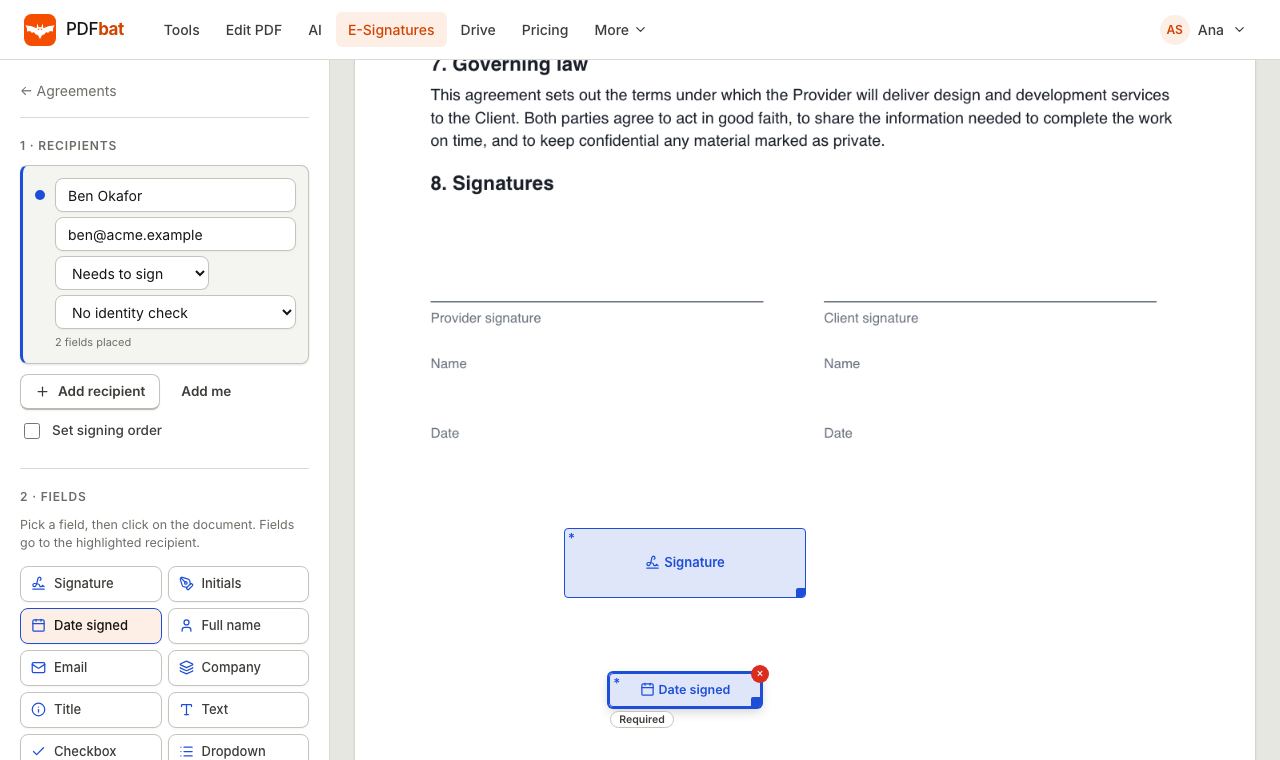 E-SignaturesSend PDFs for legally binding e signatures with signing order, identity checks, reminders and a sealed final PDF.
 PDF EditorEdit existing text, add text in any language, images, shapes, highlights, redactions, links and comments.
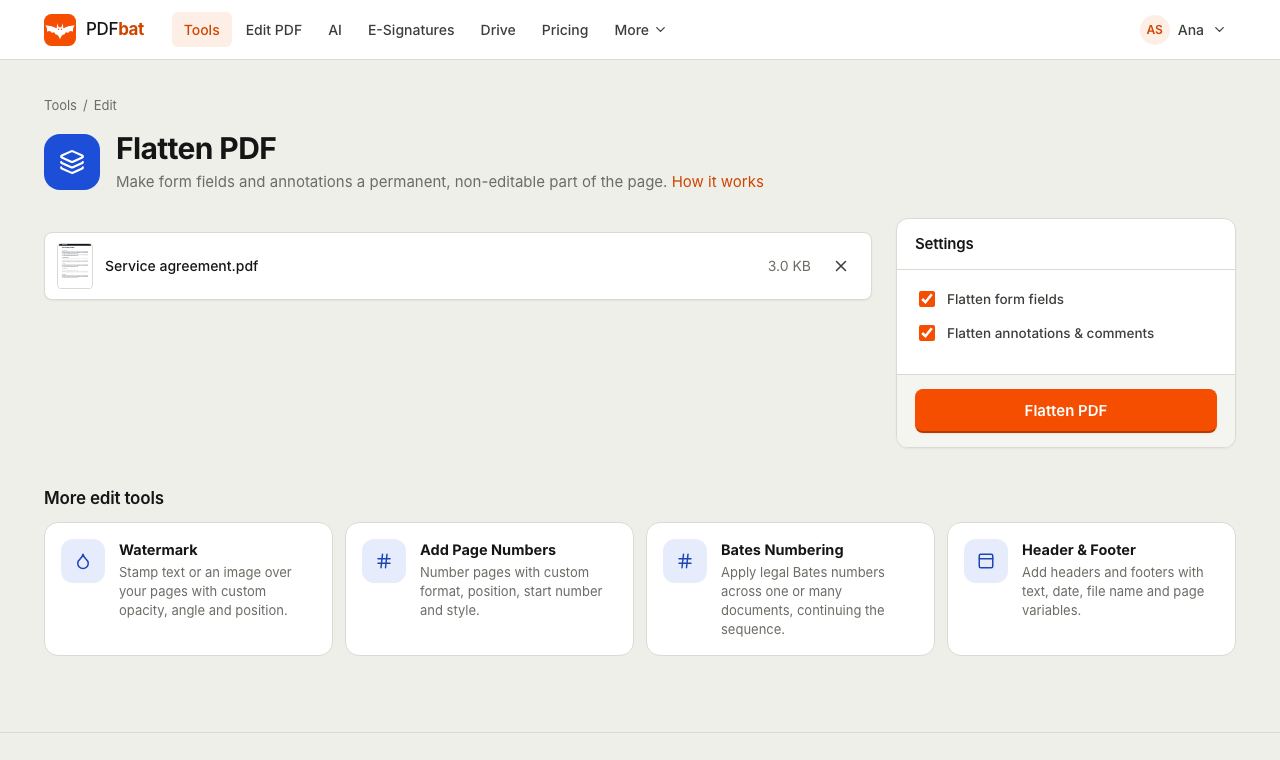 Flatten PDFLock filled forms, comments and annotations permanently into the page.
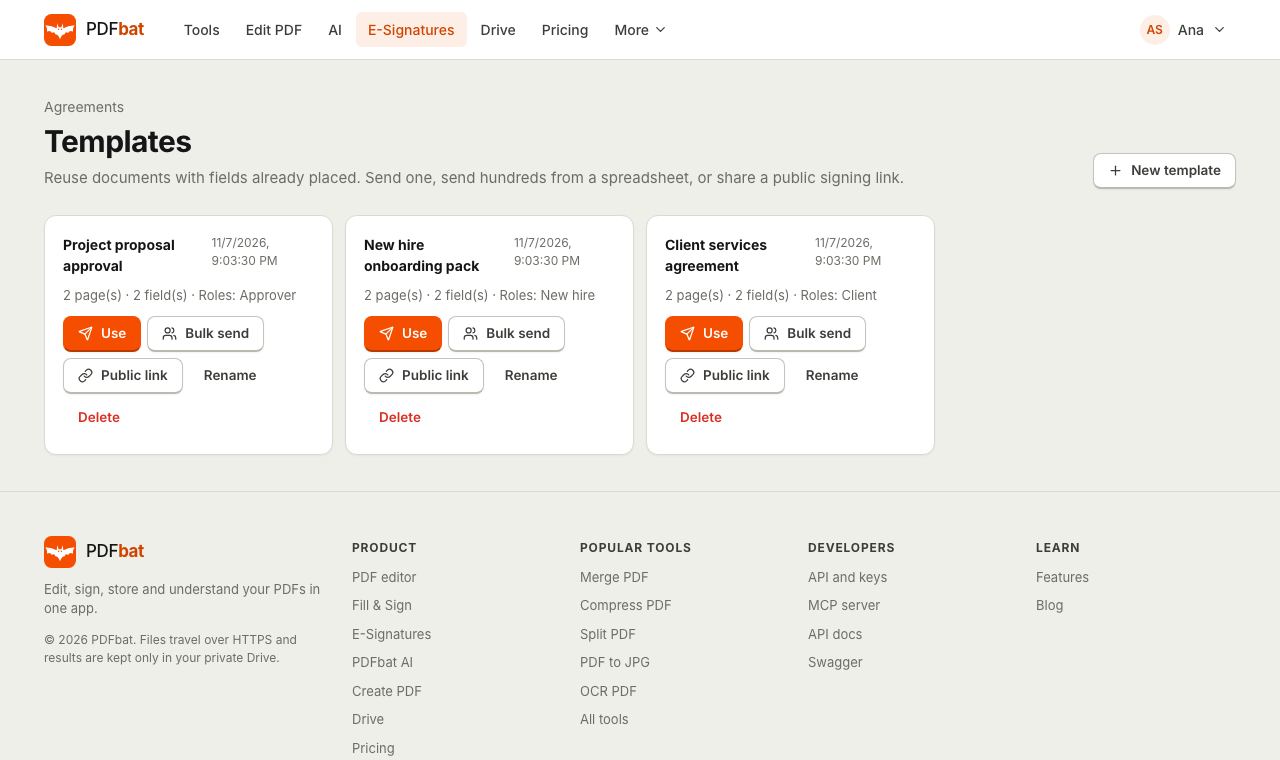 Templates and Bulk SendSave any envelope as a reusable template, send it to hundreds of people from a CSV, or publish a public signing link.
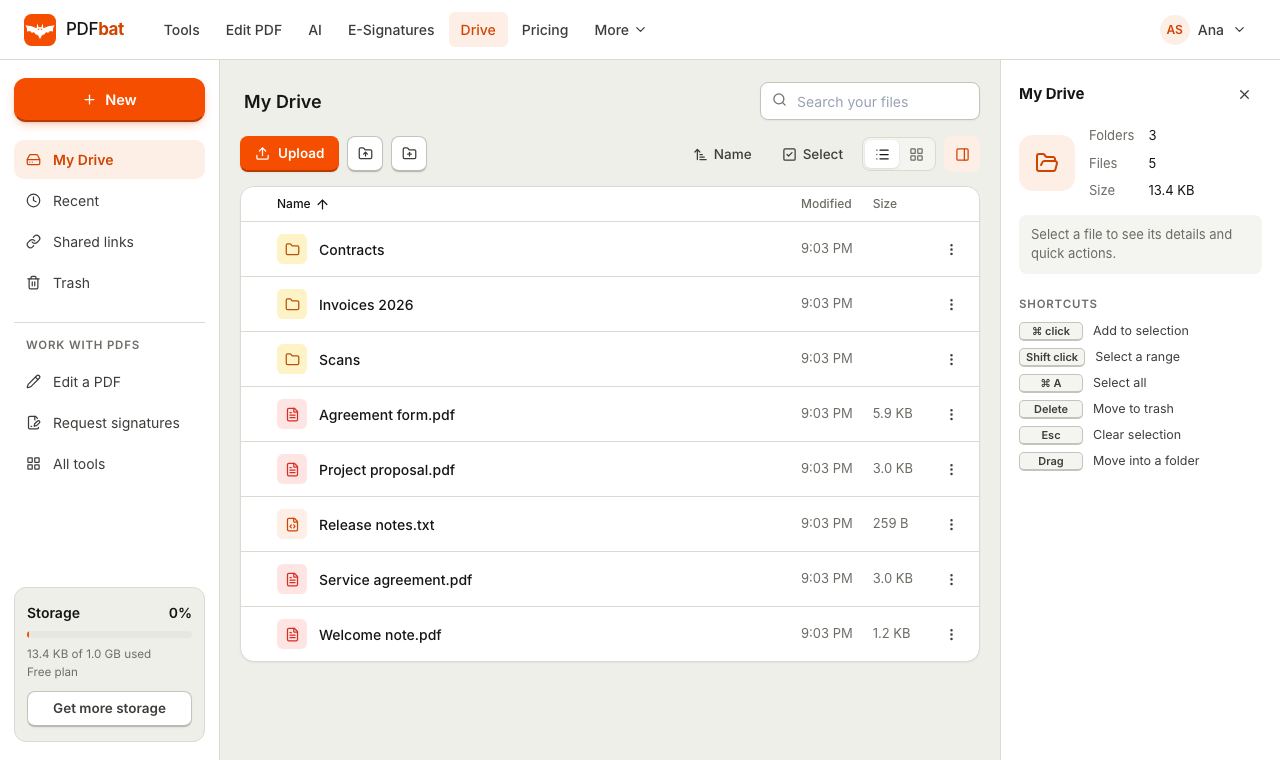 Cloud DrivePrivate cloud storage for PDFs with folders, share links and every tool result saved automatically.
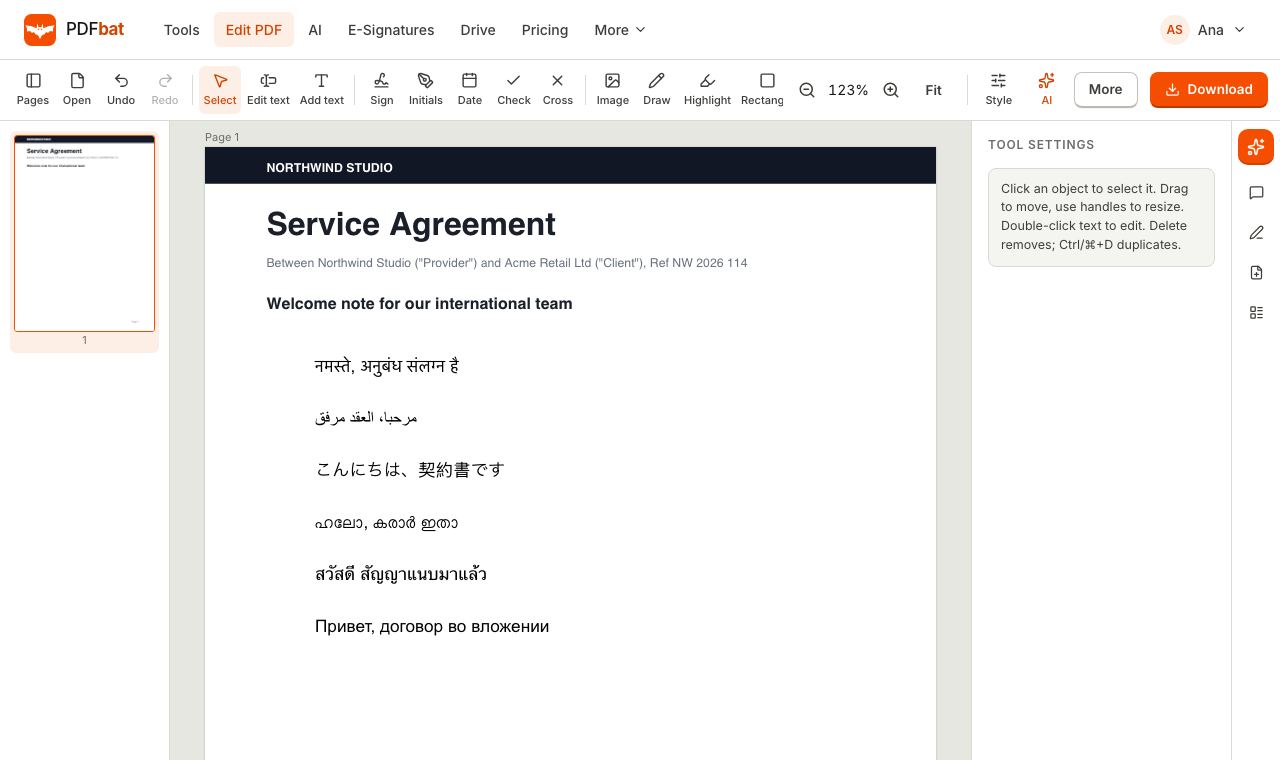 Every languageType in Hindi, Arabic, Chinese, Thai, Tamil and every other script, with correct shaping and searchable text.
Try Fill and Sign free
Create a free account in seconds. No credit card, nothing to install, and it works on any device.