Type text in any language on your PDF
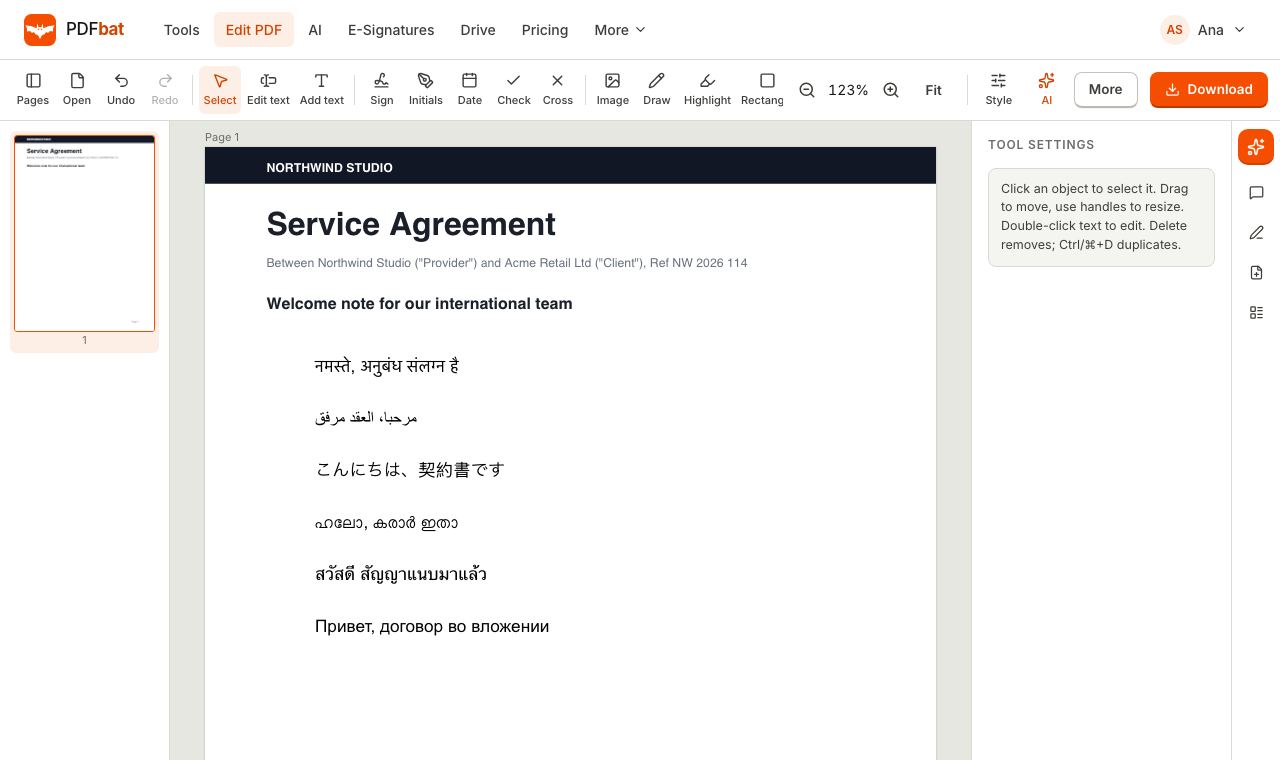
Hindi, Malayalam, Arabic, Hebrew, Chinese, Japanese, Korean, Thai, Amharic and many more. PDFbat shapes every script correctly and keeps the text searchable and copyable in the saved PDF.
- Over 100 Noto font families
- Correct Indic and Arabic shaping
- Searchable output
Why most PDF editors break non Latin text
Many online PDF editors were built for English. Type Hindi and the vowel signs land in the wrong place. Type Arabic and the letters appear separated and left to right. Type Chinese or Tamil and you get empty boxes, because the editor has no font with those characters. Even when the page looks right, the saved file often contains glyphs that cannot be searched or copied.
PDFbat was designed for the whole world from the start. When you add text, it is split into runs by script. Characters that a standard PDF font can show use it, and everything else falls back through a large set of Noto fonts until one has the right glyph. Each non Latin run is then shaped with HarfBuzz, the same text shaping engine used by Chrome and Android.
Shaping is what makes complex scripts correct: Devanagari conjuncts and reordered vowel signs, Tamil and Malayalam ligatures, Thai and Khmer marks stacked in the right place, and Arabic and Urdu letters joined in their proper forms from right to left. PDFbat then writes a ToUnicode map and the original text into the PDF, so search, copy and screen readers see the real characters, not just shapes.
What you get
Every major writing system
Latin, Cyrillic, Greek, Arabic, Hebrew, every Indic script, Thai, Lao, Khmer, Myanmar, Chinese, Japanese, Korean, Ethiopic and many more.
Correct shaping
HarfBuzz places conjuncts, ligatures and marks exactly as a native reader expects, so text looks right, not just readable.
Right to left scripts
Arabic, Urdu, Persian and Hebrew are joined and ordered right to left automatically.
Searchable and copyable
The saved PDF keeps the real characters, so Ctrl+F, copy and paste, and screen readers all work.
Mixed languages in one document
Put English, Hindi and Arabic on the same page. Each run picks the right font on its own.
Fonts embedded for you
Only the glyphs you use are embedded, so the PDF looks the same on any device without making the file heavy.
How to type any language on a PDF
- 1
Open your PDF in the editor
Drop a PDF onto the editor or open one from your Drive. Nothing to install.
- 2
Add or edit text
Choose Add text, click where it should go and type with your usual keyboard or input method. Pick a font family, size, bold, italic and color.
- 3
Download the PDF
PDFbat shapes and embeds the text when you save. The result is saved to your Drive and is fully searchable.
Scripts and fonts included
PDFbat bundles over 100 Noto font families. These are some of the writing systems covered:
- Indic scripts
- Devanagari (Hindi, Marathi, Sanskrit, Nepali, Konkani), Bengali and Assamese, Gurmukhi (Punjabi), Gujarati, Odia, Tamil, Telugu, Kannada, Malayalam and Sinhala.
- Regional and historic Indian scripts
- Ol Chiki (Santali), Meetei Mayek, Tibetan, Lepcha, Limbu, Chakma, Syloti Nagri, Tirhuta, Sharada, Takri, Modi, Grantha, Brahmi and more.
- Arabic script
- Arabic, Urdu, Persian, Kashmiri and Sindhi, joined and ordered right to left.
- Hebrew, Syriac and Thaana
- Right to left scripts of the Middle East and the Maldives.
- Chinese, Japanese and Korean
- Noto Sans CJK for Simplified and Traditional Chinese, Japanese and Korean.
- Southeast Asian scripts
- Thai, Lao, Khmer, Myanmar, Javanese, Balinese, Sundanese, Tai scripts, Cham and Philippine scripts.
- African scripts
- Ethiopic (Amharic, Tigrinya), Tifinagh, N'Ko, Adlam, Vai, Bamum and more.
- Europe, Caucasus and Central Asia
- Latin, Greek and Cyrillic through Noto Sans, Serif and Mono, plus Armenian, Georgian and Mongolian.
- Indigenous scripts of the Americas
- Cherokee, Unified Canadian Aboriginal Syllabics and Osage.
- Symbols and math
- Noto Sans Math and two symbol fonts for arrows, technical signs and other special characters.
- Bold weights
- Bold versions are included for the base fonts and for the script families that publish one.
- HarfBuzz shaping
- Every non Latin run is shaped with HarfBuzz and each glyph is placed at its exact position.
Where multilingual text works in PDFbat
- The PDF editor: add text boxes or edit existing text in any language.
- E signatures: names and text that signers type into fields are drawn into the sealed PDF with the same engine.
- Text to PDF: turn plain text files in any language into a clean PDF.
- AI translation: translate a document into another language and download it as a PDF that displays the script correctly.
Tips for multilingual PDFs
- Type with your operating system's keyboard or input method. On phones, switch keyboards the way you do in any other app.
- Choose the Sans, Serif or Mono font in the editor. Each one maps to a matching Noto family for scripts outside Latin.
- Scanned documents in your language can be made searchable with OCR in 45 languages.
- Need the text out of a PDF? PDF to Text exports it as plain text, HTML or JSON with the original characters.
PDFbat compared with Adobe Acrobat Pro
| Feature | PDFbat | Adobe Acrobat Pro |
|---|---|---|
| Price | Free plan, Pro $4/mo | $19.99/mo, annual plan |
| Fonts for every script built in | Over 100 Noto families bundled | Depends on fonts installed on your computer |
| Complex script shaping | HarfBuzz | Yes |
| Searchable output | Yes | Yes |
| Works in any browser, nothing to install | Yes | Desktop app for full editing |
Competitor details reflect their public plan pages in November 2026. Check their sites for current terms.
Frequently asked questions
Which languages can I type in a PDF?
Any language written in a script covered by the bundled Noto fonts, which includes every major writing system: Latin, Cyrillic, Greek, Arabic, Hebrew, all major Indic scripts, Thai, Khmer, Chinese, Japanese, Korean, Ethiopic and many more.
Will Hindi and Tamil text look correct?
Yes. Text is shaped with HarfBuzz, so conjuncts, vowel signs and ligatures are formed and placed the way native readers expect.
Does Arabic text go right to left?
Yes. Arabic, Urdu, Persian and Hebrew runs are shaped right to left with the correct joined letter forms.
Can people search and copy the text I add?
Yes. PDFbat stores the original characters alongside the glyphs, so search, copy and paste and screen readers work in the saved PDF.
Do I need to install fonts?
No. All fonts are on the PDFbat server and only the glyphs you use are embedded in your PDF.
Can I mix several languages on one page?
Yes. Each run of text picks the font that has its characters, so English, Hindi and Japanese can sit side by side.
Is it free?
Yes. The editor is part of the free plan. Pro is $4 a month for unlimited tasks and larger files.
Related features and tools
 PDF EditorEdit existing text, add text in any language, images, shapes, highlights, redactions, links and comments.
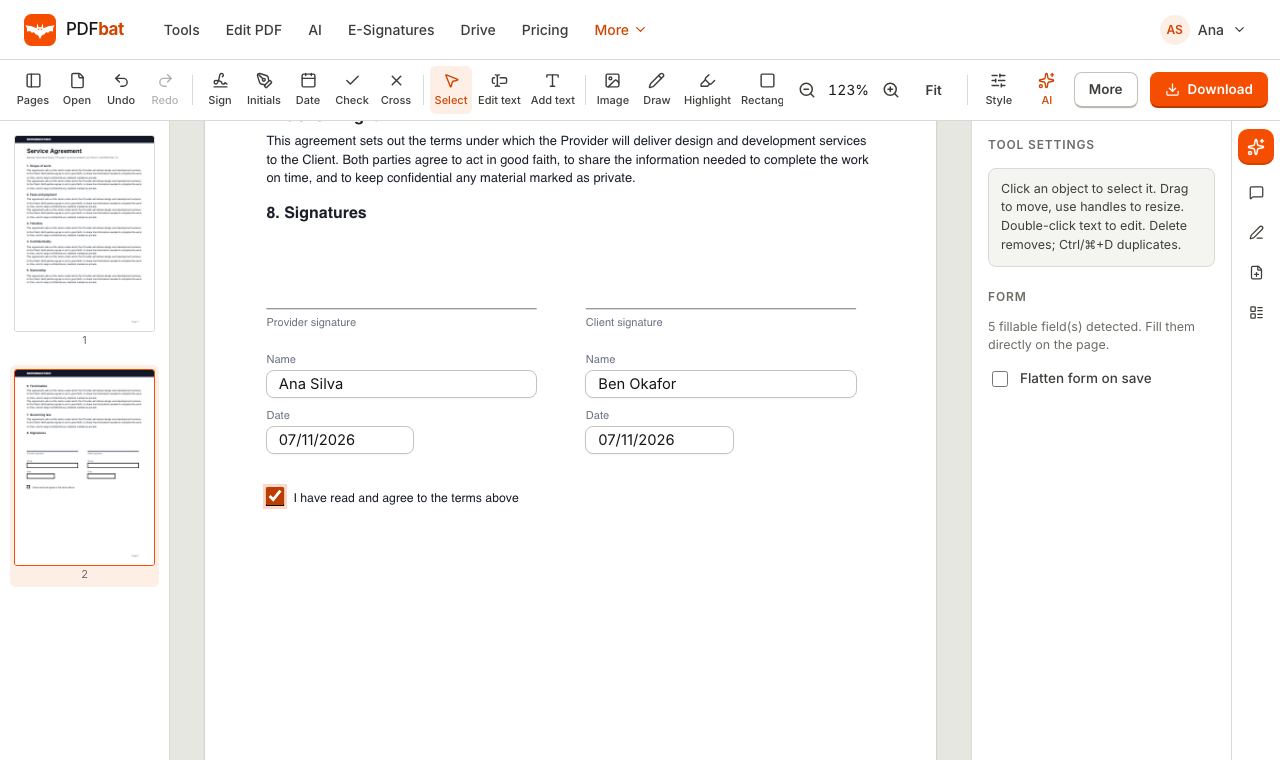 Fill and SignFill PDF forms, sign, add initials, dates and checkmarks, then flatten and download.
 OCR PDFMake scanned PDFs searchable and copyable in 45 languages, with a second language for mixed documents.
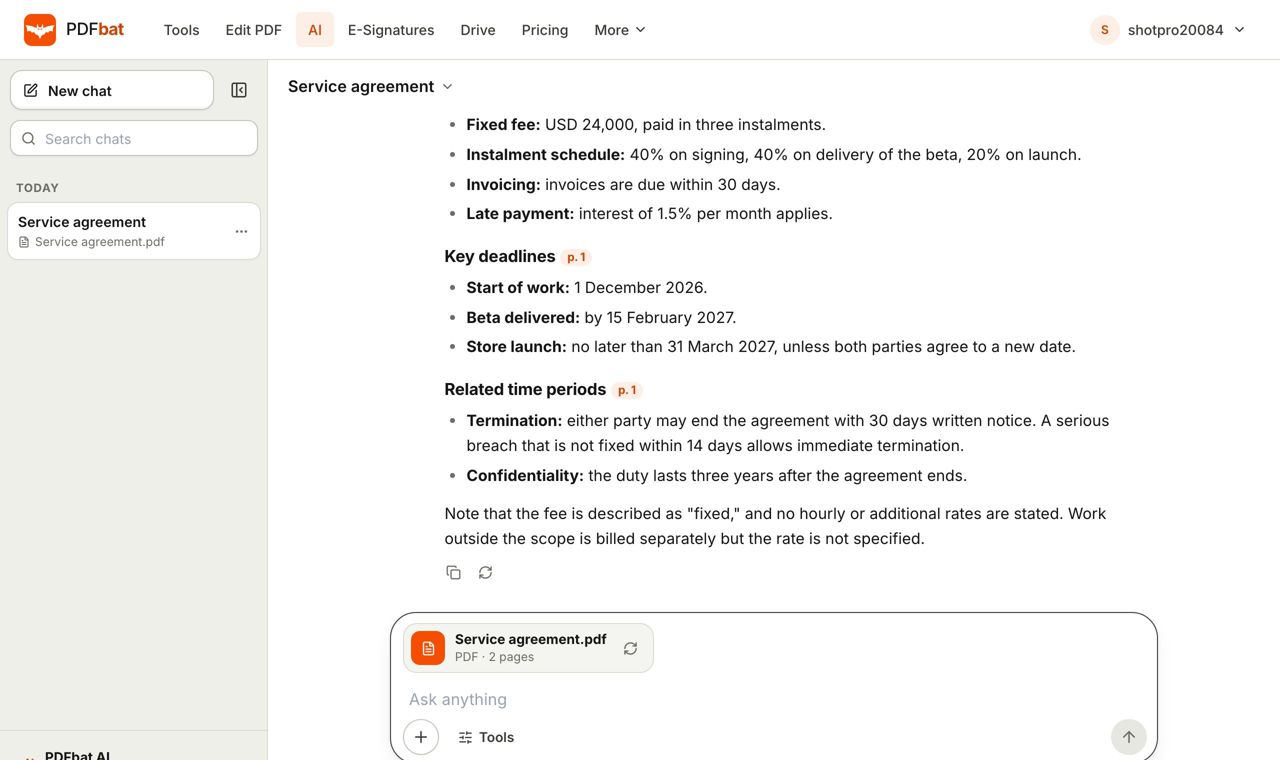 AI PDFChat with a PDF, summarize, translate, extract data, review contracts and redact personal data with AI.
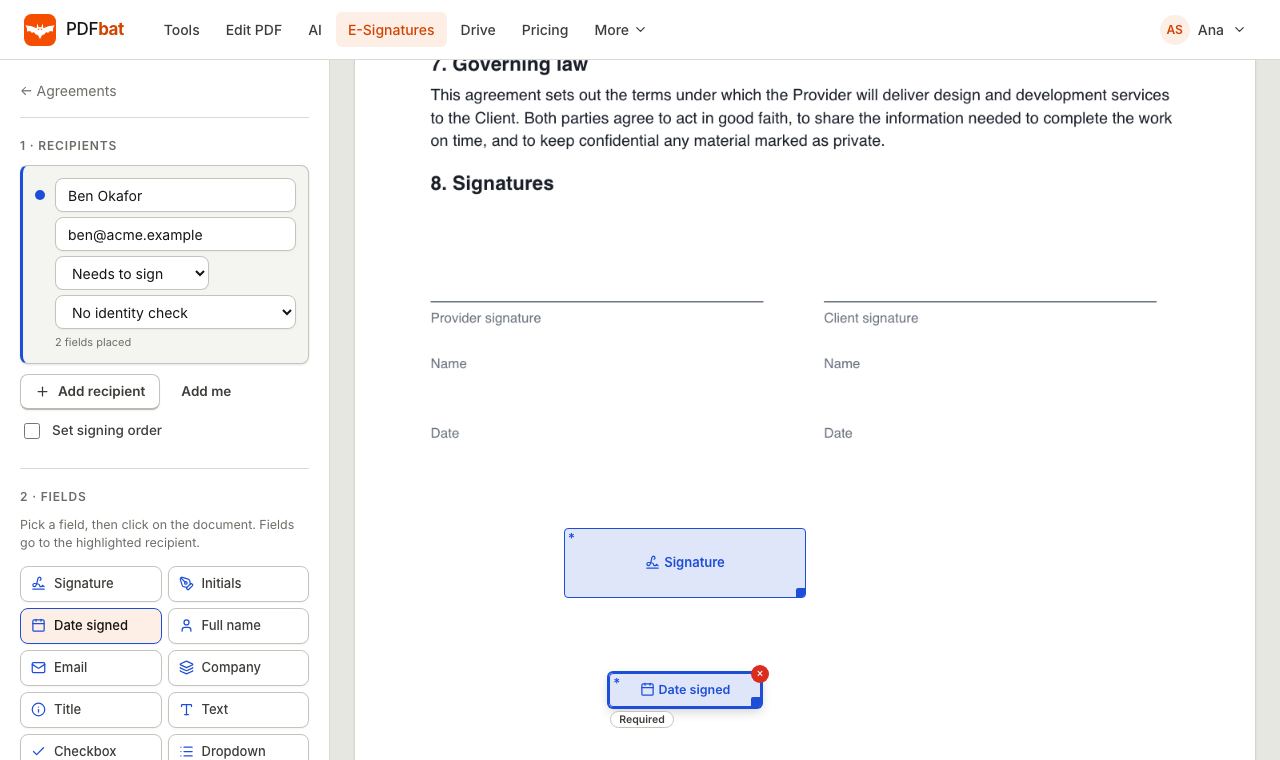 E-SignaturesSend PDFs for legally binding e signatures with signing order, identity checks, reminders and a sealed final PDF.
 PDF to TextExtract all text from a PDF as plain text, layout preserving HTML or structured JSON.
Write on your PDF in your own language
Open the editor, type in any script and download a PDF that looks right and stays searchable.