The online PDF editor that edits the text already on the page
Fix a typo in a contract, update a price list or annotate a report without Acrobat. Click existing text to change it, add new text in any language, drop in images and shapes, then download a clean PDF.
- Free plan, no credit card
- Nothing to install
- Works on phone, tablet and desktop

A real editor, not just a stamp on top
Many free PDF editors only let you type in a new box over the page. That leaves the old words underneath, misaligned fonts on top and a file that looks patched. PDFbat works differently. Choose Edit text, click any line of real text and type. The original words are removed from the page content and your new text is written in their place, so the result reads, searches and copies like the original.
Everything else you expect from a desktop editor is in the same toolbar: new text boxes, images, freehand drawing, highlights, rectangles, ellipses, lines and arrows, whiteout, true redaction, links, sticky note comments, signatures and a pages panel to reorder, rotate, duplicate and delete pages. It all runs in the browser on Windows, Mac, Linux, iPhone, iPad and Android.
Why people edit PDFs with PDFbat
Edit the text that is already there
Click a line, change the words, and PDFbat replaces the original text in the page content instead of covering it.
Type in any language
Hindi, Arabic, Japanese, Thai, Malayalam and every other script are shaped correctly with HarfBuzz and Noto fonts, and stay searchable.
Redaction that really removes
The Redact tool deletes the text, images and vector art under the box, so hidden words cannot be copied back out.
Pages panel built in
Reorder by drag and drop, rotate, duplicate, insert blank pages and delete pages while you edit.
Undo everything
Every change can be undone and redone with Ctrl+Z and Ctrl+Shift+Z until you download.
Saved to your Drive
Each edited PDF is stored in your private Drive, ready to download again, share or open in another tool.
How it works
- 1
Open your PDF
Drop a file onto the editor, choose one from your device, or open a PDF you already keep in your PDFbat Drive. Password protected files ask for the password first.
- 2
Make your changes
Pick a tool from the toolbar: Edit text, Add text, Image, Draw, Highlight, shapes, Whiteout, Redact, Link or Comment. Select any object to change its font, size, color or opacity.
- 3
Download the new PDF
Click Download. The edits are written into a standard PDF that opens in any viewer, and a copy is saved to your Drive.
Every editing tool in the toolbar
One toolbar, grouped the way you work: text, signing, drawing, and cleanup.
- Edit text
- Click existing text to rewrite it. The old glyphs are erased from the page content and the new text is drawn in a matching size and position.
- Add text
- Click anywhere to type. Set font, size, color and opacity. Every writing system is supported, including right to left scripts.
- Image
- Place a logo, photo or stamp from a JPG or PNG, then move and resize it on the page.
- Draw
- Freehand pen for marks, circles and handwritten notes with mouse, finger or stylus.
- Highlight
- Mark passages in a translucent color, the same way you would with a highlighter pen.
- Rectangle, ellipse, line and arrow
- Shapes with adjustable stroke, fill and opacity for callouts, diagrams and review notes.
- Whiteout
- Cover an area with a solid box, useful for hiding a background mark before adding new text on top.
- Redact
- Draw a box over sensitive content. On download the underlying text, images and covered vector art are permanently removed and a black box is drawn.
- Link
- Turn an area into a clickable link to a web address or to another page in the same document.
- Comment
- Add sticky note comments for reviewers. They are saved as standard PDF annotations.
- Sign, initials, date, check and cross
- Draw, type or upload a signature, add initials and today's date, and tick boxes. See Fill and Sign.
- Pages panel
- Thumbnails of every page with move up, move down, drag to reorder, rotate, duplicate, insert blank page after and delete.
- Form fields
- Existing text fields, checkboxes, radio buttons, dropdowns and list boxes can be filled directly on the page, with an option to flatten the form on save.
- Zoom, fit width, undo and redo
- Comfortable editing on a laptop or a phone, with full history until you download.
What you can do with it
- Correct a contract or invoice: change a date, an amount or a misspelled name in the original text rather than pasting a patch over it.
- Review a report: highlight key lines, add arrows and comments, then send the marked up PDF back.
- Brand a document: add your logo as an image, a link to your website and a short note on the cover page.
- Prepare a file for sharing: redact account numbers and personal details so they are removed, not just hidden.
- Tidy the page order: move, rotate and delete pages in the pages panel before you download.
Tips for clean edits
- Edit text works best on PDFs exported from Word, Google Docs or design tools. Scanned pages are pictures, so run OCR first or use Whiteout and Add text.
- Rotated text cannot be edited in place. Cover it with Whiteout and add new text on top instead.
- For bulk changes across many files, such as page numbers or a watermark, the dedicated PDF tools are faster than editing page by page.
- Need to send the edited file for signatures? Open it in E-Signatures straight from your Drive.
PDFbat compared with Adobe Acrobat Pro
Acrobat Pro is a powerful desktop suite. PDFbat covers the everyday editing jobs in the browser, for a fraction of the price.
| Feature | PDFbat | Adobe Acrobat Pro |
|---|---|---|
| Price | Free plan, Pro $4/mo | $19.99/mo, annual plan |
| Edit existing text | Yes | Yes |
| Add images, shapes, highlights and comments | Yes | Yes |
| True redaction | Yes | Yes |
| Works in any browser with nothing to install | Yes | Desktop app, plus a web version |
| Text in every writing system with shaping | Yes, Noto fonts built in | Depends on installed fonts |
| Private cloud Drive included | 1 GB free, 10 GB with Pro | Adobe cloud storage |
| E signatures and a developer API on the same account | Yes | E signatures yes, API sold separately |
Competitor details reflect their public plan pages in November 2026. Check their sites for current terms.
Frequently asked questions
Can I really edit the existing text in a PDF for free?
Yes. Choose Edit text, click a line and type. The free plan includes 10 tasks a day and files up to 25 MB, which covers most everyday edits.
Does the edited text match the original font?
PDFbat writes the new text at the same position and size. If the original font is embedded only as a subset, a close standard or Noto font is used so every character can be drawn.
Can I edit a scanned PDF?
A scan is an image of text, so there is no text to click. Run OCR to add a text layer, or use Whiteout and Add text to change the page.
Is redaction permanent?
Yes. When you download, the content under each redaction box is deleted from the file, including text, images and covered vector graphics. It cannot be recovered by copying or removing the box.
Does it work on iPhone and Android?
Yes. The editor runs in Safari, Chrome and other modern mobile browsers, with touch support for drawing and signing.
Do I need to install anything?
No. PDFbat runs entirely in the browser. Create a free account and open a PDF.
Where are my edited files stored?
Each download is also saved to your private Drive. Files travel over HTTPS and nobody else can open them unless you share a link.
Can I automate edits?
Yes. The PDFbat API has an edit endpoint for adding text, images and redactions from your own code.
Related features and tools
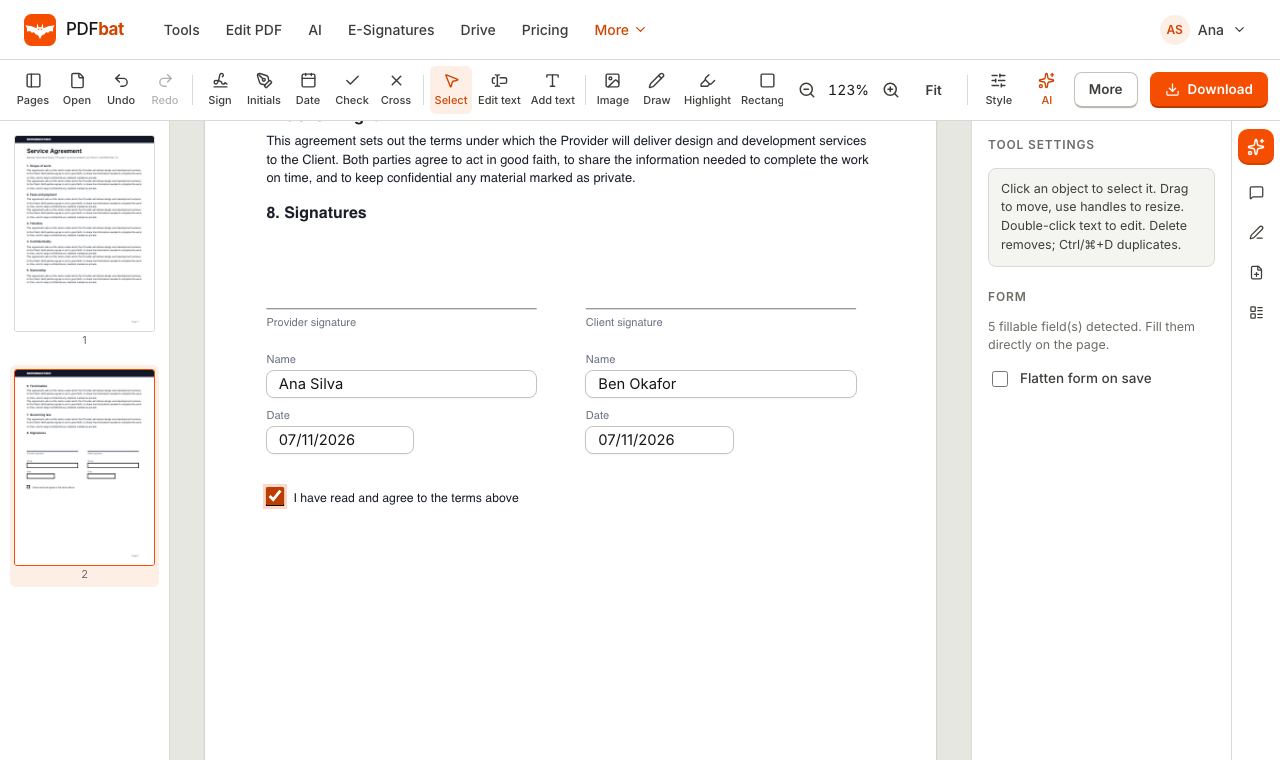 Fill and SignFill PDF forms, sign, add initials, dates and checkmarks, then flatten and download.
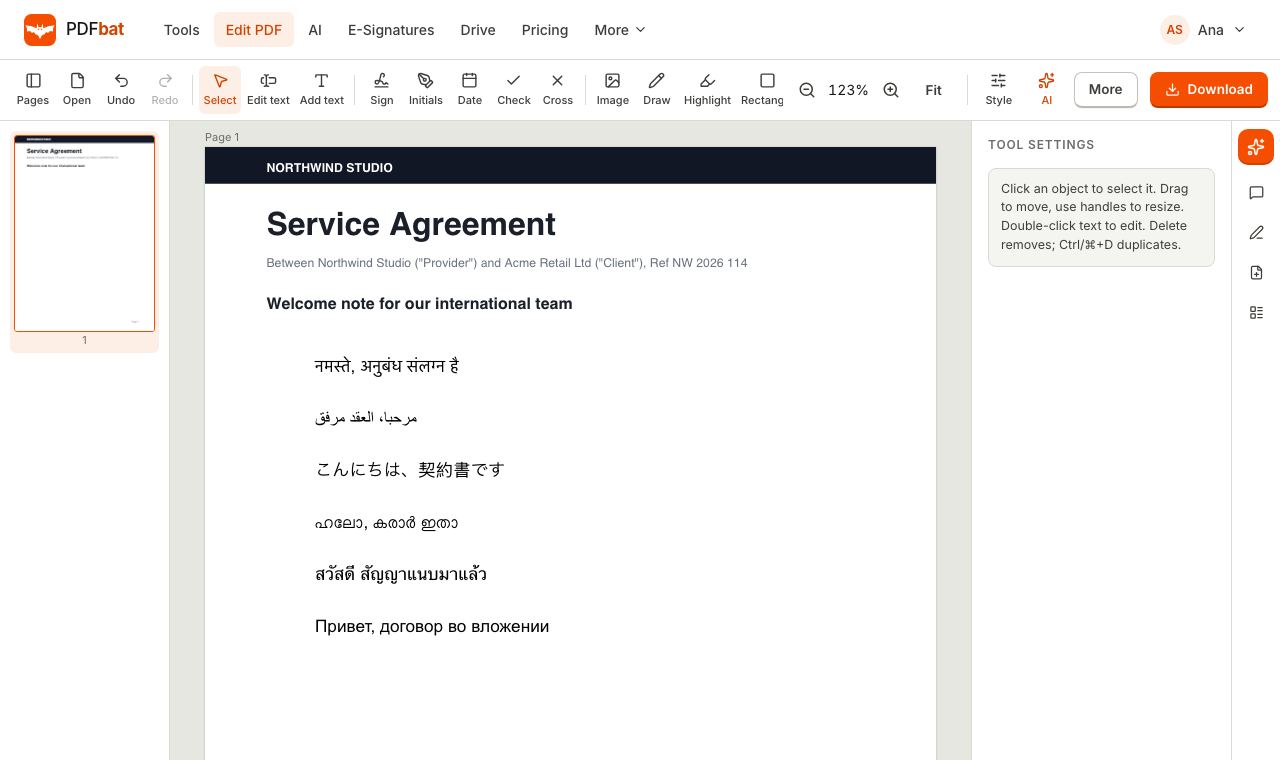 Every languageType in Hindi, Arabic, Chinese, Thai, Tamil and every other script, with correct shaping and searchable text.
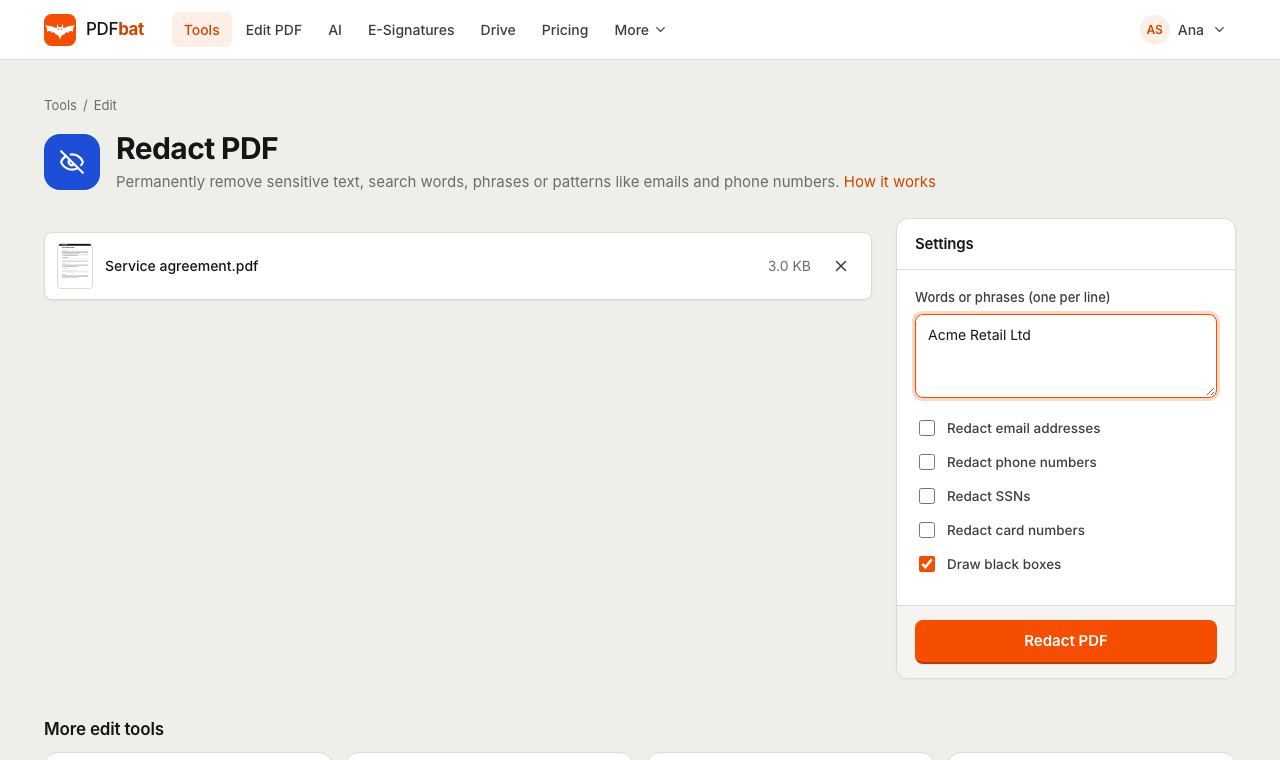 Redact PDFPermanently remove names, emails, phone numbers and card numbers from a PDF.
 OCR PDFMake scanned PDFs searchable and copyable in 45 languages, with a second language for mixed documents.
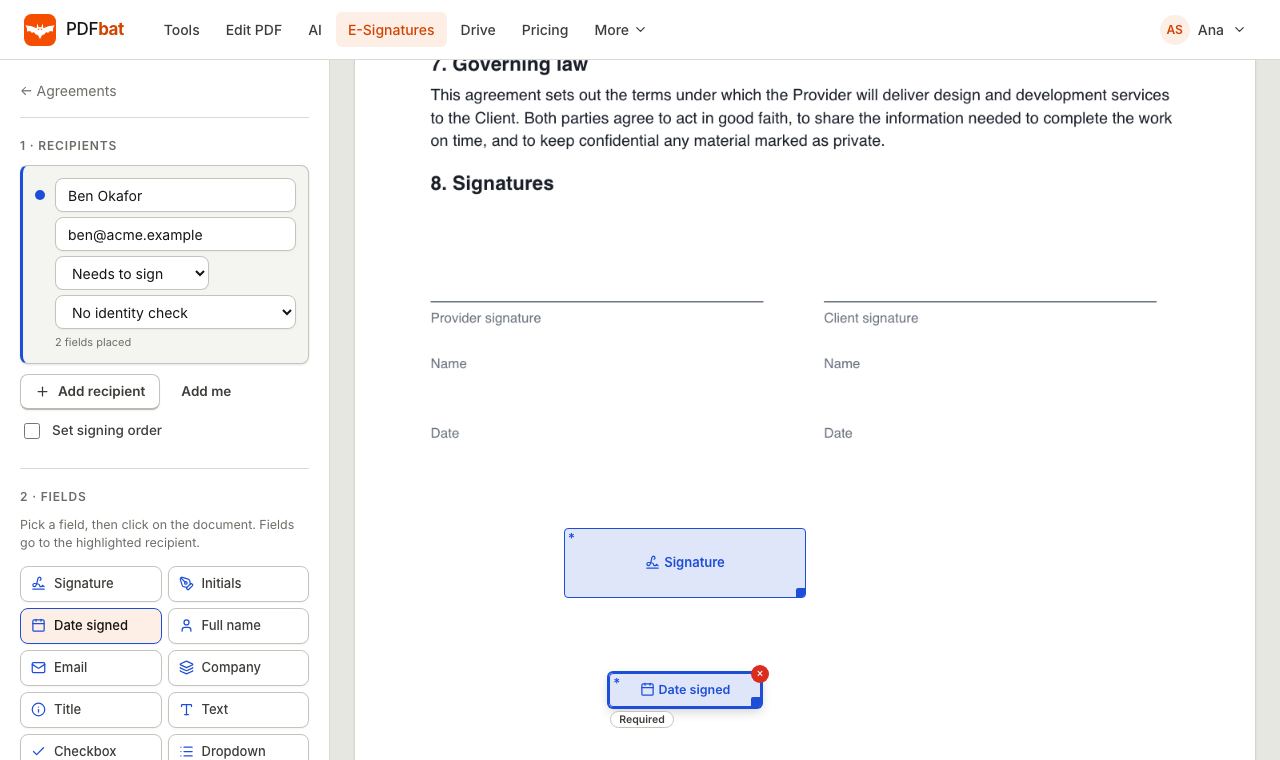 E-SignaturesSend PDFs for legally binding e signatures with signing order, identity checks, reminders and a sealed final PDF.
 Free PDF Tools30+ tools to merge, split, compress, convert, protect, redact, number and OCR PDFs.
Try PDF Editor free
Create a free account in seconds. No credit card, nothing to install, and it works on any device.