Chat with a PDF and get answers with page citations
Upload a PDF, ask a question in plain language and read an answer that points to the page it came from. Works on reports, contracts, manuals and scans of up to 300 pages.
- Answers cite the page
- Works on scanned PDFs
- 200 free AI credits a month
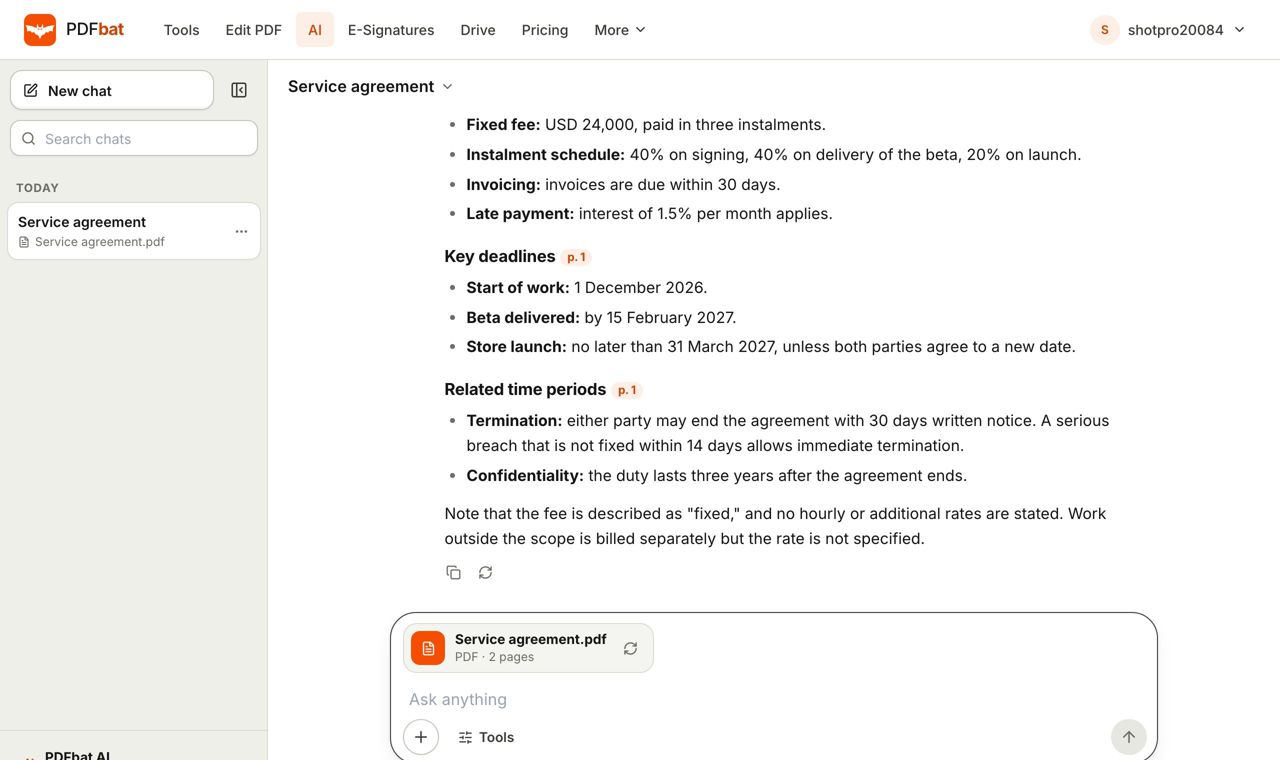
Find the answer without reading fifty pages
Most long documents are read for one reason: to find a specific answer. When is the deadline? What does the warranty exclude? What was the total for March? Chat with PDF lets you ask that directly. You upload the file, type a question, and get a short answer written from the document itself.
Every fact in the reply carries a citation such as [p. 4], so you can jump to that page and check the wording. That is the difference between a useful answer and a guess. If the document does not contain the answer, PDFbat AI says so instead of inventing one.
You can ask follow up questions, ask in a different language from the document, and work with scans because pages are read with OCR first. It handles up to 300 pages, which covers most contracts, annual reports, research papers, user manuals and policy documents.
What chatting with a PDF gives you
Plain language questions
Ask like you would ask a colleague. Follow up as often as you need.
Page citations
Each answer points to the page, such as [p. 12], so you can verify the source quickly.
Works on scans
Photos and scanned pages are recognised with OCR before the AI reads them.
Any language
Ask in English about a Hindi document, or the other way round.
Up to 300 pages
Long reports and manuals are read in full, not just the first few pages.
Free credits monthly
Free accounts get 200 AI credits a month. Pro gets 4,000. Credit packs never expire.
How to chat with a PDF
- 1
Upload your document
Open PDFbat AI and drop in a PDF, an image of a page or a file from your Drive.
- 2
Ask your question
Type what you want to know, for example "What are the payment terms?" or "List every deadline in this report."
- 3
Check the citation
Read the answer, then open the cited page to confirm the wording. Ask a follow up to go deeper.
What you can ask
- Find a fact
- Dates, names, amounts, clauses and definitions, each with its page.
- Summarize
- Ask for a short, medium or detailed summary of the whole document or one section.
- Explain
- Ask for a plain language explanation of a dense paragraph or technical term.
- List and compare
- Pull out all obligations, risks, action items or figures into a list.
- Extract data
- Turn invoices and statements into JSON or CSV. See extract invoice data.
- Review a contract
- Get parties, dates, renewal and risks. See AI contract review.
- Translate
- Turn the whole document into another language. See translate PDF.
- Edit with AI
- AI can also change the document in the editor, and draft new documents in Create.
Good questions to ask a PDF
- "What is the notice period and who must give it?" for an employment or rental contract.
- "Summarize the key findings in five bullet points" for a research paper or report.
- "What does the warranty not cover?" for a product manual.
- "List every date and amount with its page" for a statement or invoice bundle.
Getting accurate answers
Ask one thing at a time and name the section if you know it. Check the cited page for anything that matters, such as money, legal terms or medical details. AI can misread a poor scan, so for important figures confirm against the page. For scans, higher quality images give better answers. If a page looks wrong, run OCR with the correct language first.
Frequently asked questions
Is chat with PDF free?
Yes to start. Free accounts get 200 AI credits a month, Pro gets 4,000, and credit packs from $5 never expire. Each AI action costs credits based on its size.
How long can the PDF be?
Up to 300 pages.
Will it work on a scanned PDF?
Yes. Scanned pages are read with OCR first, so the same questions work on paper documents.
Does it show where the answer came from?
Yes. Answers cite the page, for example [p. 4].
Can I ask in another language?
Yes. You can ask in one language about a document written in another.
Are my files private?
Files travel over HTTPS and are stored in your private account. Nobody else can open them unless you share a link.
Can I use it from my own app or assistant?
Yes. The PDFbat API and the MCP server let your code and AI assistants use PDFbat tools.
Related features and tools
AI PDFChat with a PDF, summarize, translate, extract data, review contracts and redact personal data with AI.AI Contract ReviewUpload a contract and see parties, dates, amounts, obligations, renewal and termination terms and risks, with page references.Extract Invoice Data from PDFPull vendor, dates, line items and totals out of invoice PDFs and scans into CSV or JSON.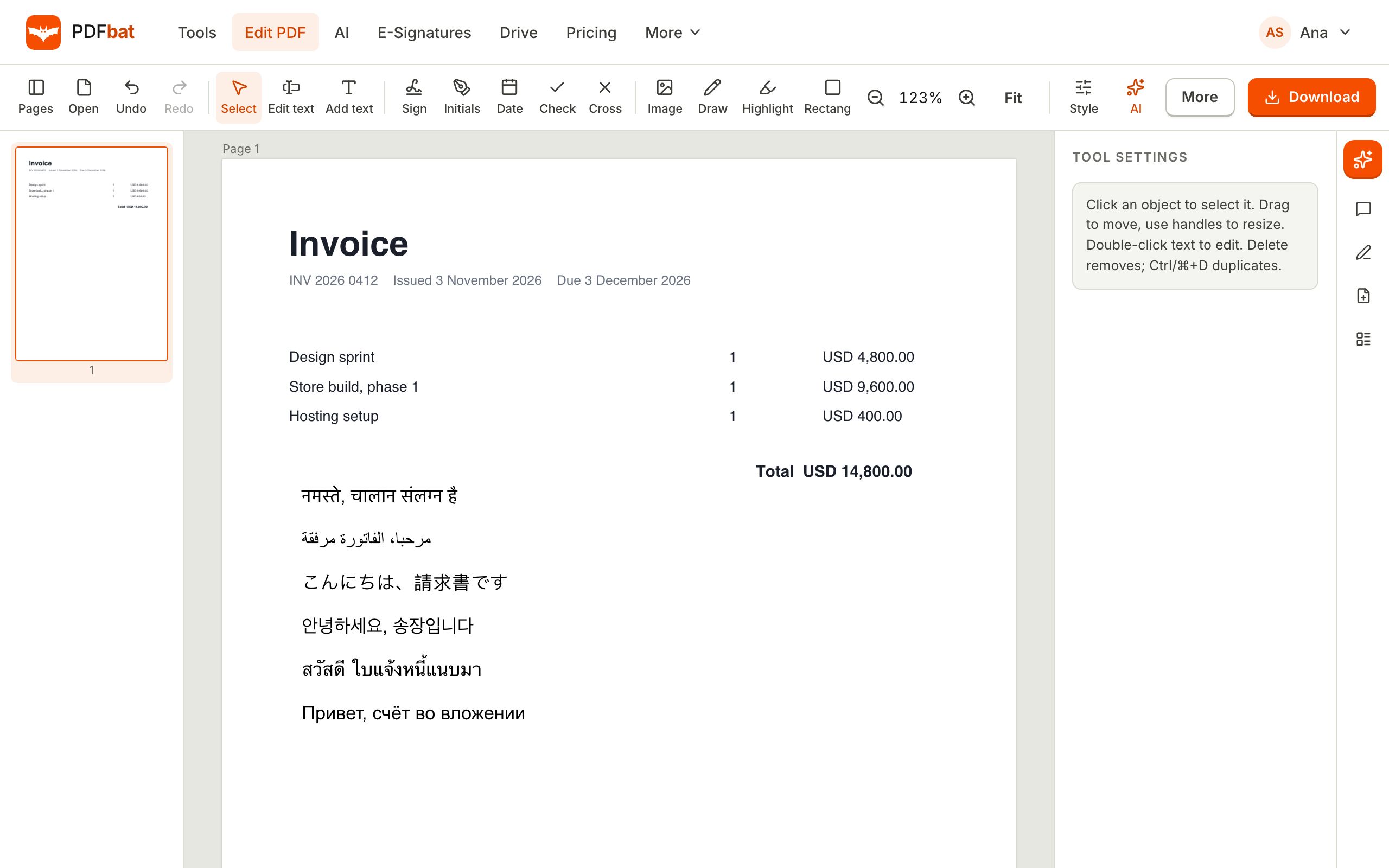 Translate PDFTranslate a whole PDF into another language and download a new, clean PDF that shows every script correctly.
 OCR PDFMake scanned PDFs searchable and copyable in 45 languages, with a second language for mixed documents.
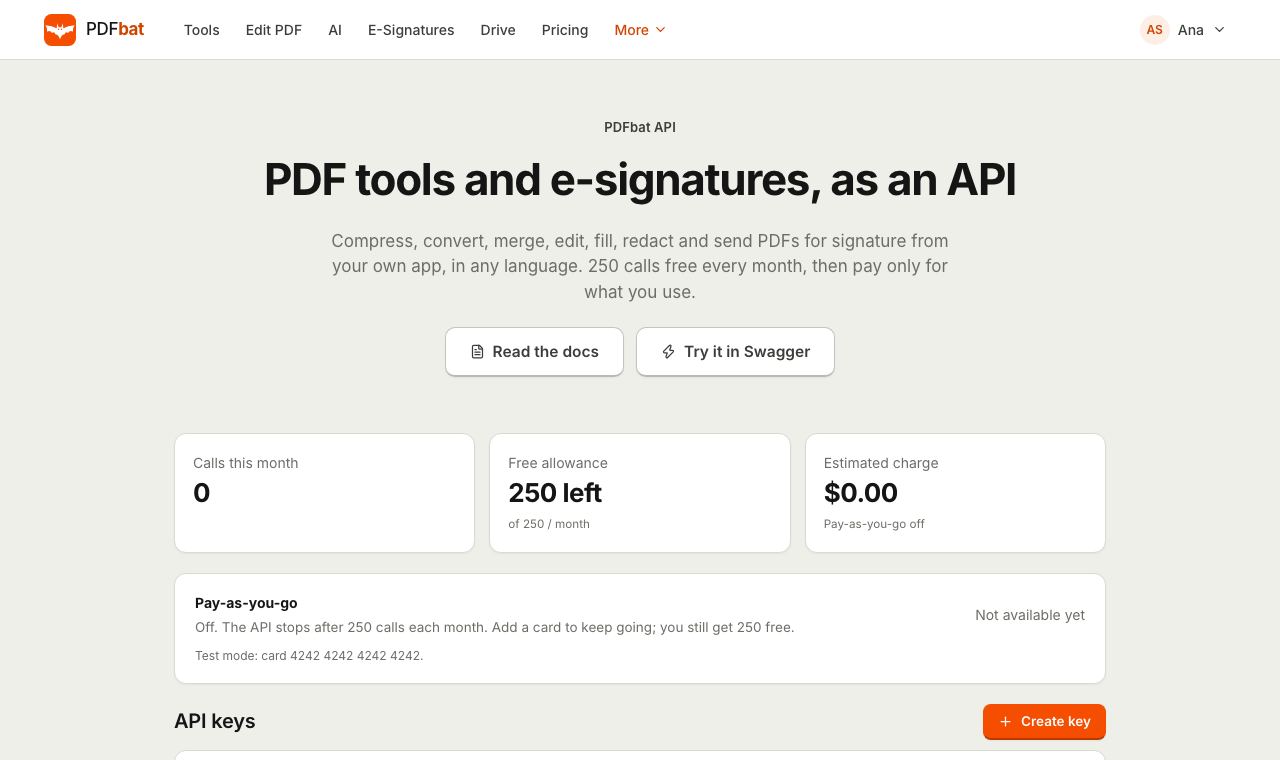 MCP serverConnect Claude, ChatGPT, Cursor and any MCP client to PDFbat so your AI assistant can run PDF tools, use Drive and send documents for signature.
Ask your PDF a question
Upload a document, ask in plain language and get an answer with the page it came from.