Translate a PDF into another language, as a new PDF
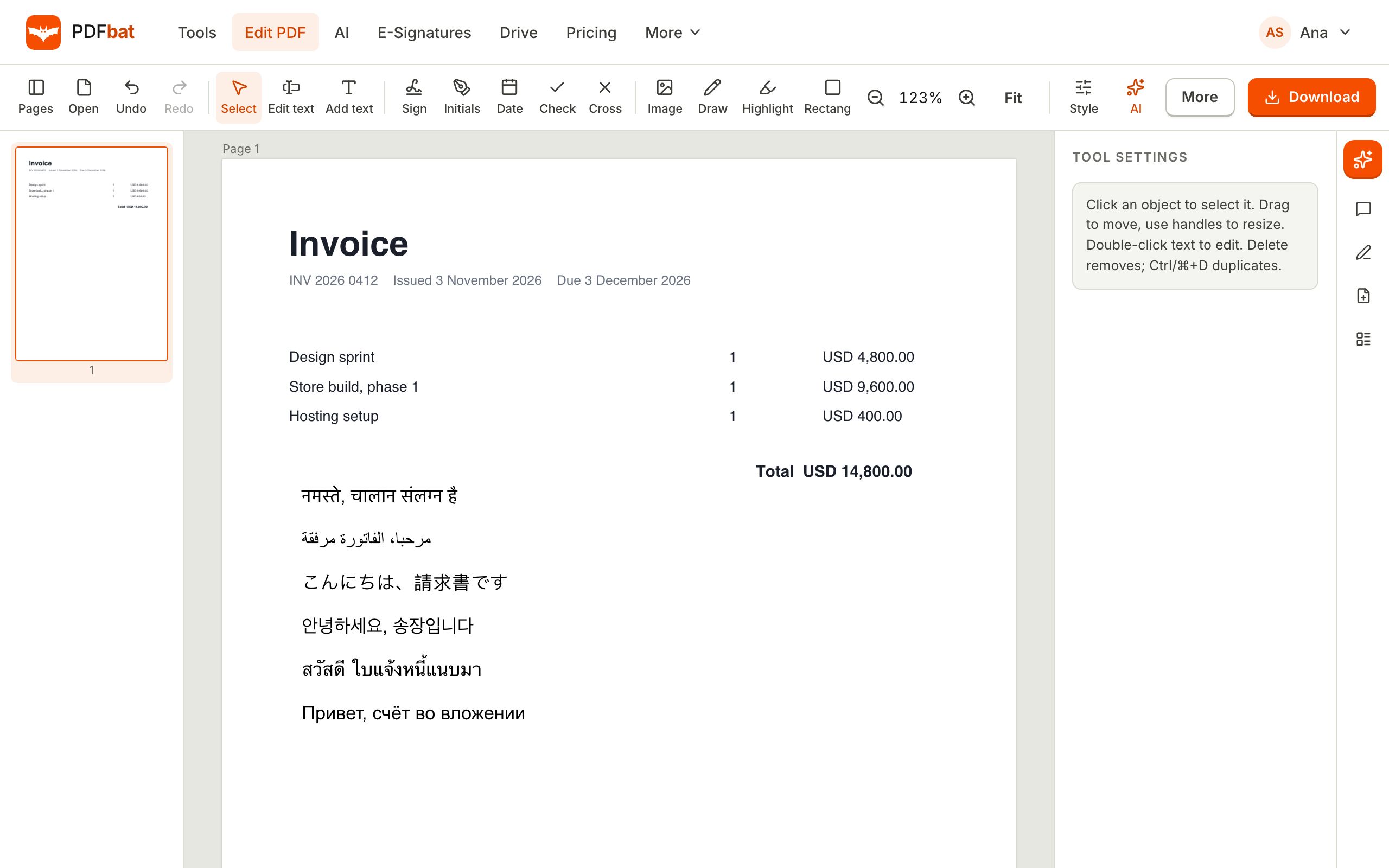
Upload a PDF, choose the target language and PDFbat AI translates every page into a new document you can download. Right to left and Indian scripts are drawn correctly, and scans are read with OCR first.
- Whole document to new PDF
- Works on scans
- Correct scripts
A translated PDF, not just translated text
Pasting a page into a translator gives you words, but not a document. PDFbat translates the whole PDF and returns a new PDF you can share, print or sign. Headings, paragraphs and lists keep their order, so the result is easy to read and ready to send.
Scripts are the usual problem. Many tools output boxes for Arabic, Hindi, Tamil or Chinese, or put right to left text the wrong way round. PDFbat uses the same shaping engine and Noto fonts as its editor, so a translation into Arabic reads right to left with joined letters, and Indian scripts show correct conjuncts.
If the source is a scan, pages are read with OCR before translation. Pick the target language, and you can also choose to translate into the language you are working in. After translation, open the new PDF in the editor to adjust a term or a name.
Why translate PDFs this way
Any target language
Translate into the language your reader uses, including right to left and Indic scripts.
A new PDF to download
You get a document, not a text box, ready to share or print.
Scans included
Scanned pages and photos are read with OCR first.
Right to left done properly
Arabic, Hebrew, Persian and Urdu are ordered and joined correctly.
Edit afterwards
Fix a name or term in the editor and re download.
Free credits monthly
200 AI credits on Free, 4,000 on Pro. Packs never expire.
How to translate a PDF
- 1
Upload the PDF
Open PDFbat AI and add a PDF, up to 300 pages, or a scan.
- 2
Choose Translate and a language
Pick the target language from the list. Add notes such as "formal tone" if you want.
- 3
Download the new PDF
Review it, then download. A copy is saved to your Drive.
What is included
- Whole document
- All pages are translated, not just a preview.
- New PDF output
- Download a clean translated PDF.
- OCR for scans
- Paper documents are recognised before translation.
- Script shaping
- Arabic, Hindi, Tamil, Chinese and others are drawn correctly.
- Edit after
- Use the PDF editor to fix wording.
- Check with chat
- Ask questions of either version with chat with PDF.
- Sign the result
- Add signatures with Fill and Sign.
- API
- Automate translation with the PDFbat API.
When translation works best
- Letters, certificates, manuals, reports, policies and forms with clear text.
- Business documents you will review before sending.
- Study material, research papers and contracts you need to understand.
- Documents that must display in Arabic, Hindi or another non Latin script.
Important limits
Machine translation is a strong first draft, not a certified translation. Official uses such as immigration, court or university applications often need a certified translator, so check the rules of the body you are submitting to. Complex layouts such as multi column magazines and heavy tables may come out simpler than the original. Always read a translation through before relying on it, especially for names, dates and numbers.
Frequently asked questions
Can I translate a whole PDF at once?
Yes, up to 300 pages, and you download the result as a new PDF.
Does it work on scanned PDFs?
Yes. Pages are read with OCR first.
Will Arabic or Hindi display correctly?
Yes. PDFbat shapes scripts properly, including right to left languages.
Is the translation certified?
No. It is an AI translation. If an authority requires certification, use a certified translator.
How much does it cost?
Free accounts get 200 AI credits a month. Pro gets 4,000. Credit packs from $5 never expire.
Can I edit the translated PDF?
Yes. Open it in the editor.
Is my document kept private?
Files travel over HTTPS and are stored in your private account. Nobody else can open them unless you share a link.
Related features and tools
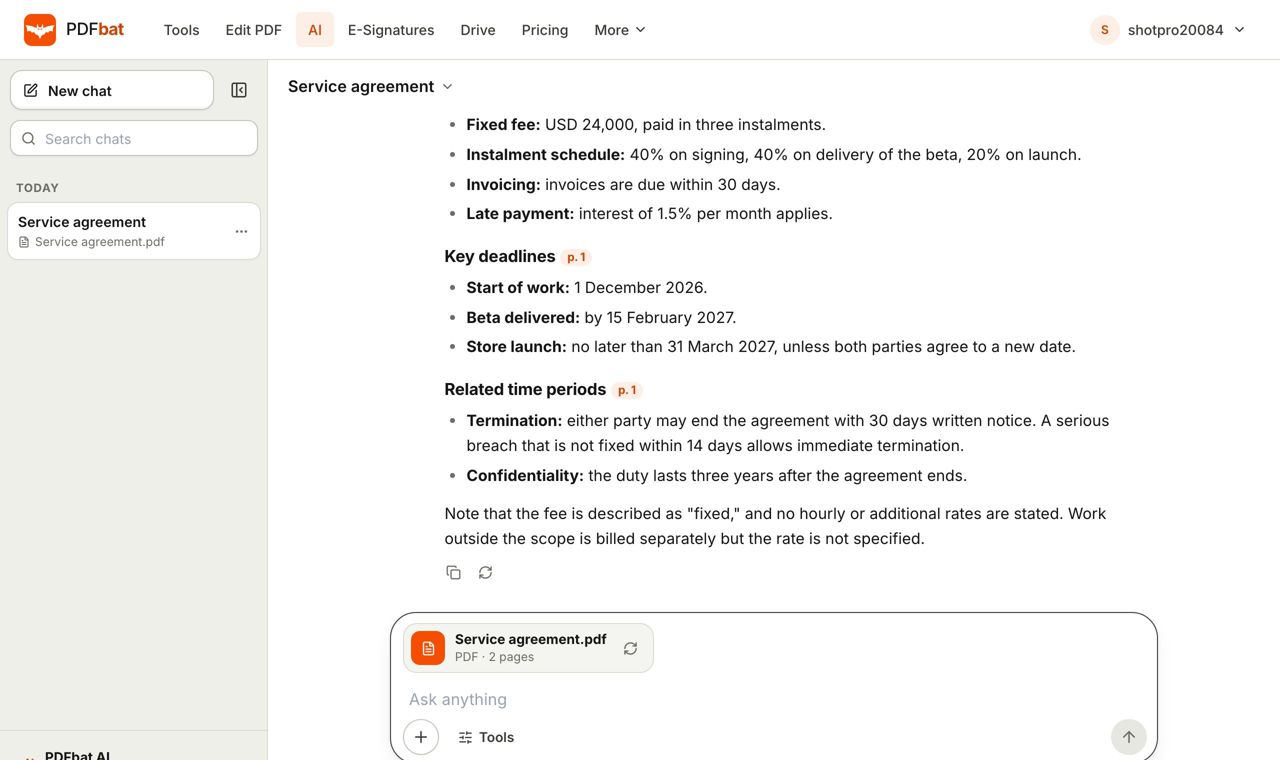 AI PDFChat with a PDF, summarize, translate, extract data, review contracts and redact personal data with AI.Chat with PDFAsk questions about any PDF and get answers that cite the page, including scanned documents, up to 300 pages.
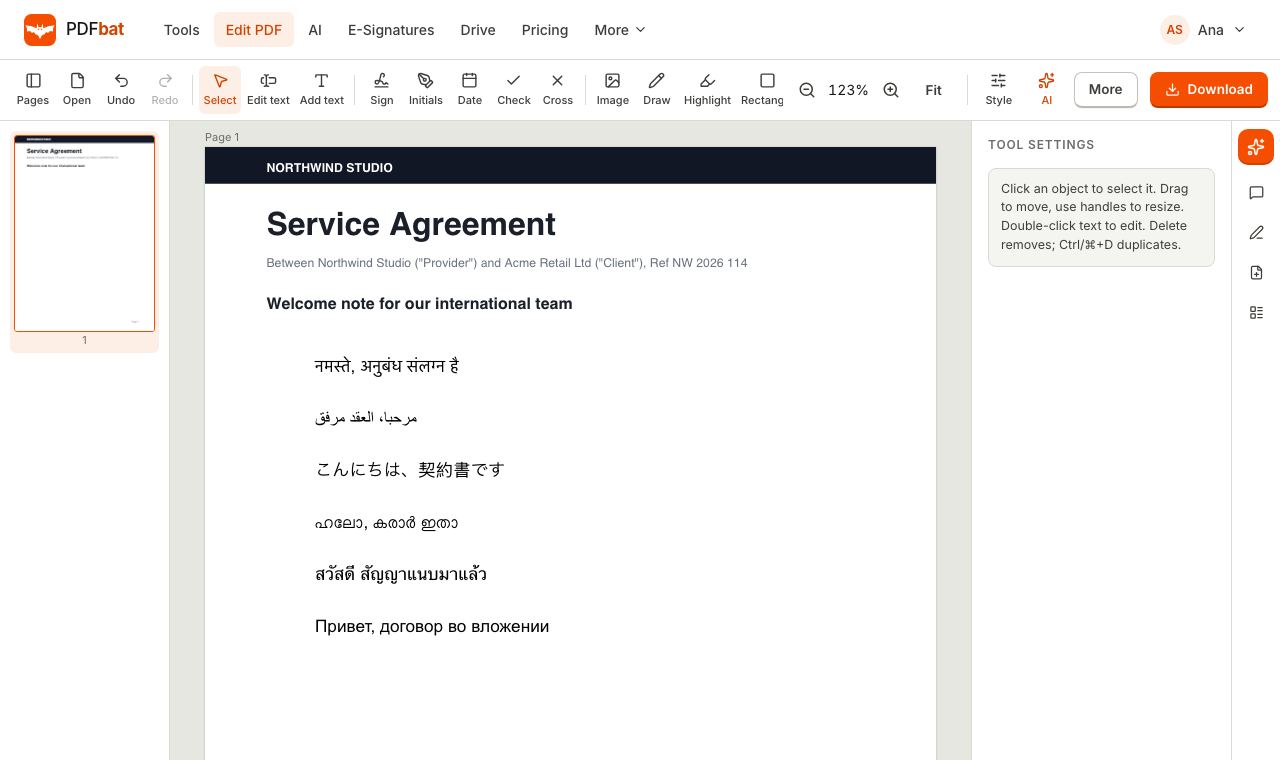 Every languageType in Hindi, Arabic, Chinese, Thai, Tamil and every other script, with correct shaping and searchable text.
 OCR PDFMake scanned PDFs searchable and copyable in 45 languages, with a second language for mixed documents.Edit Arabic PDFEdit Arabic, Hebrew, Persian and Urdu text in a PDF online, right to left, with joined letters and searchable output.
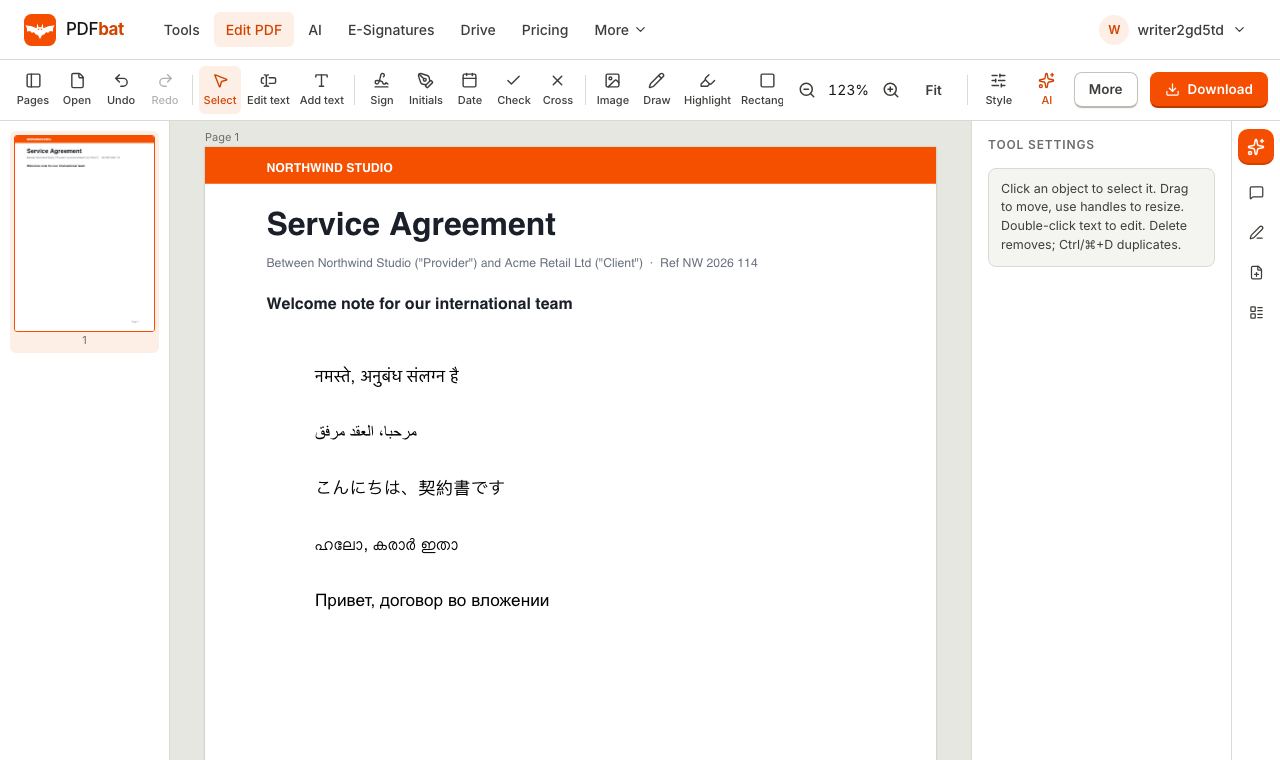 Edit PDF in Indian LanguagesEdit Hindi, Tamil, Malayalam, Bengali, Telugu, Kannada, Marathi, Gujarati and Punjabi text in a PDF with correct shaping.
Translate your PDF now
Upload a document, choose a language and download a translated PDF.