Create an invoice PDF for free
Pick an invoice template, edit it in your browser, add your details and logo, and download a clean PDF with no watermark. Send it to a client for signature or keep a copy in your Drive.
- No watermark
- No credit card
- Edit in your browser
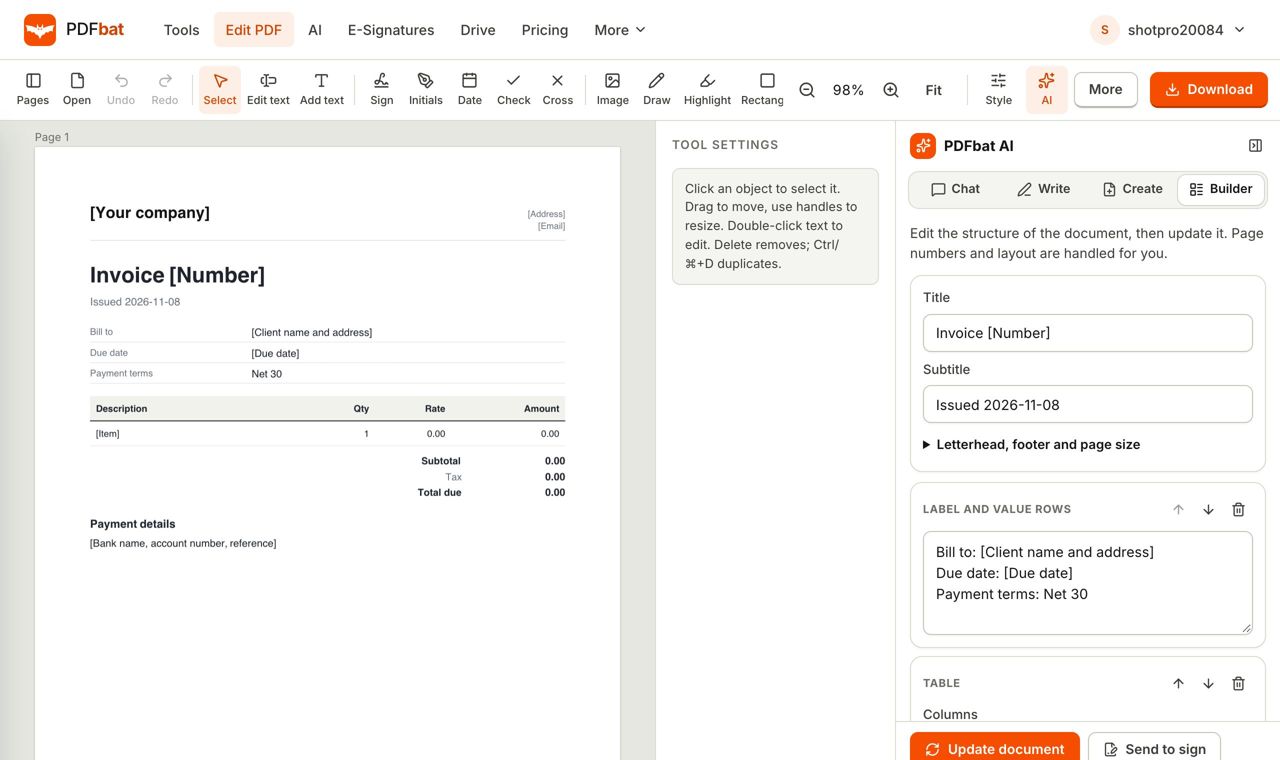
An invoice that looks professional in minutes
A good invoice states who is billing whom, what for, how much, and when payment is due. Clients pay faster when those four things are clear, and bookkeepers prefer invoices that follow a consistent layout. PDFbat gives you ready made invoice templates so you start with the structure and only fill in your details.
Choose the template that matches your work. The standard invoice suits most small businesses. The freelance invoice is shaped for independent professionals with project details. The hourly invoice lists dates, tasks and hours with a running total. There is also a proforma invoice for quotes before delivery and a commercial invoice for international shipments.
Open the template in Create, replace the placeholders in square brackets, add your logo, and set the currency and tax. Download the PDF with no watermark, or save it to your Drive. If you need a client to accept the work, send the PDF for signature with e signatures.
What you get
Invoice templates
Standard, freelance, hourly, proforma and commercial invoices, plus quotes and receipts.
Edit online
Change every line in your browser. Add or remove rows, notes and payment details.
Add your logo
Place your logo and brand details at the top of the page.
No watermark
Your invoice is clean. No card needed on the free plan.
Sign or collect signatures
Add your signature, or send the PDF for approval.
Saved to Drive
Keep copies of every invoice in your private Drive for later.
How to create an invoice PDF
- 1
Pick a template
Browse invoice templates and open the one that fits, such as the standard invoice.
- 2
Fill in your details
Replace the bracketed placeholders with your business, client, items, tax and payment details, and add your logo.
- 3
Download or send
Download the PDF with no watermark, or save it to Drive and email it from there.
Invoice types you can start from
- Invoice
- A clean invoice with line items, tax and payment details. Open it.
- Freelance invoice
- For independent professionals, with project and hours. Open it.
- Hourly invoice
- Dates, tasks and a running total. Open it.
- Proforma invoice
- A preliminary invoice before goods or work. Open it.
- Commercial invoice
- For export shipments with exporter, importer and origin details. Open it.
- Credit note
- Issue a refund or correction against an earlier invoice. Credit note.
- Bulk send
- Send many documents at once with templates and bulk send.
What every invoice should include
- Your business name, address and contact details, and your client's.
- A unique invoice number and the issue and due dates.
- A clear list of items or services with quantity, price and line totals.
- Tax or VAT, any discounts, and the total due, with the currency.
- Payment details such as bank account or payment link, and your terms.
Tips for getting paid on time
Send the invoice as soon as the work is done, and state the due date in the first line. Short terms such as 14 days get paid sooner than vague ones. Put a payment reference on the page so the money is easy to match. If you need an accountant to import figures, the same PDF can be turned into data with extract invoice data. Check local rules for tax invoice requirements in your country, because some regions require a tax ID or specific wording.
Frequently asked questions
Can I create an invoice PDF for free?
Yes. Invoice templates and the editor are on the free plan, with no watermark and no credit card.
Which invoice template should I use?
Use the standard invoice for most jobs, freelance for project work, hourly for billing by time, and proforma before delivery.
Can I add my logo?
Yes. Place your logo image on the page in the editor.
Is there a watermark?
No. Downloads from PDFbat are clean.
Can I edit an existing invoice PDF?
Yes. Open it in the PDF editor and change the text.
Can I send it for signature?
Yes. Use e signatures. Free accounts get 3 envelopes a month.
Do the templates include tax calculations?
Templates give you a structured layout for tax and totals. Check the figures yourself and follow your local tax rules.
Related features and tools
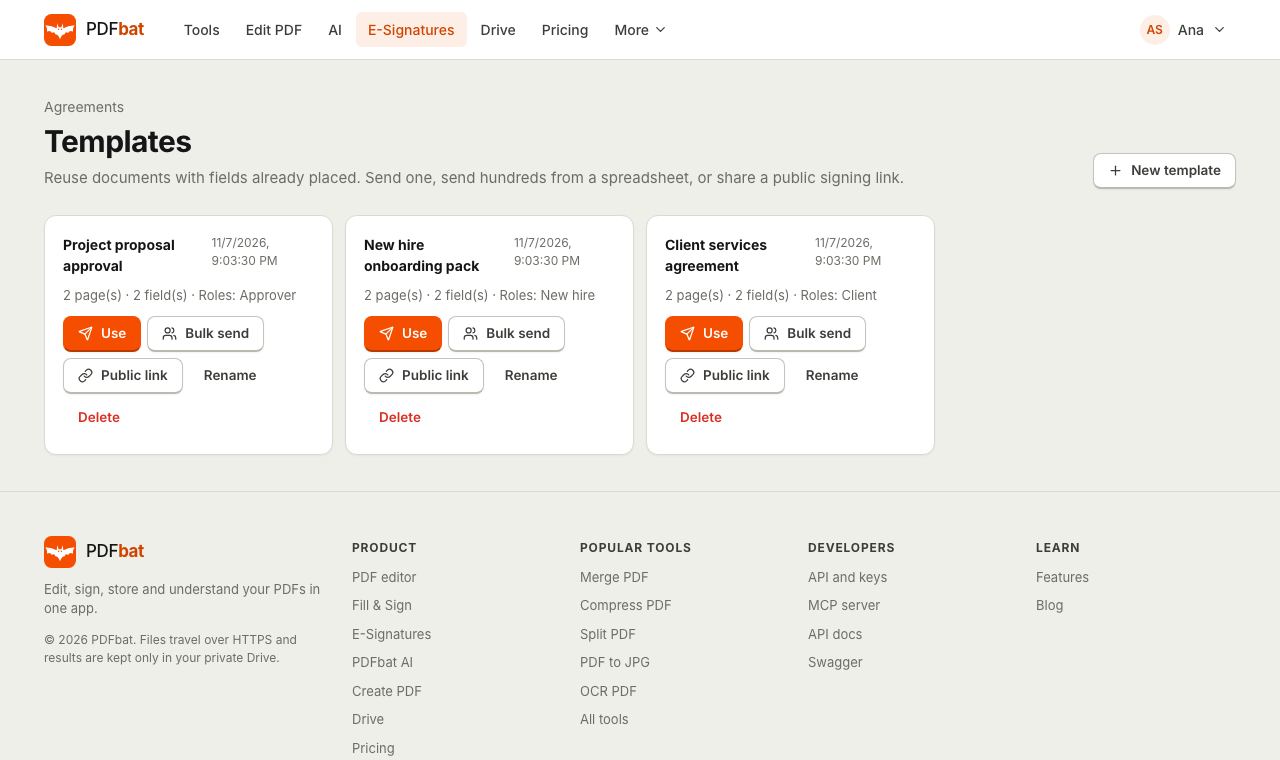 Templates and Bulk SendSave any envelope as a reusable template, send it to hundreds of people from a CSV, or publish a public signing link.
 PDF EditorEdit existing text, add text in any language, images, shapes, highlights, redactions, links and comments.
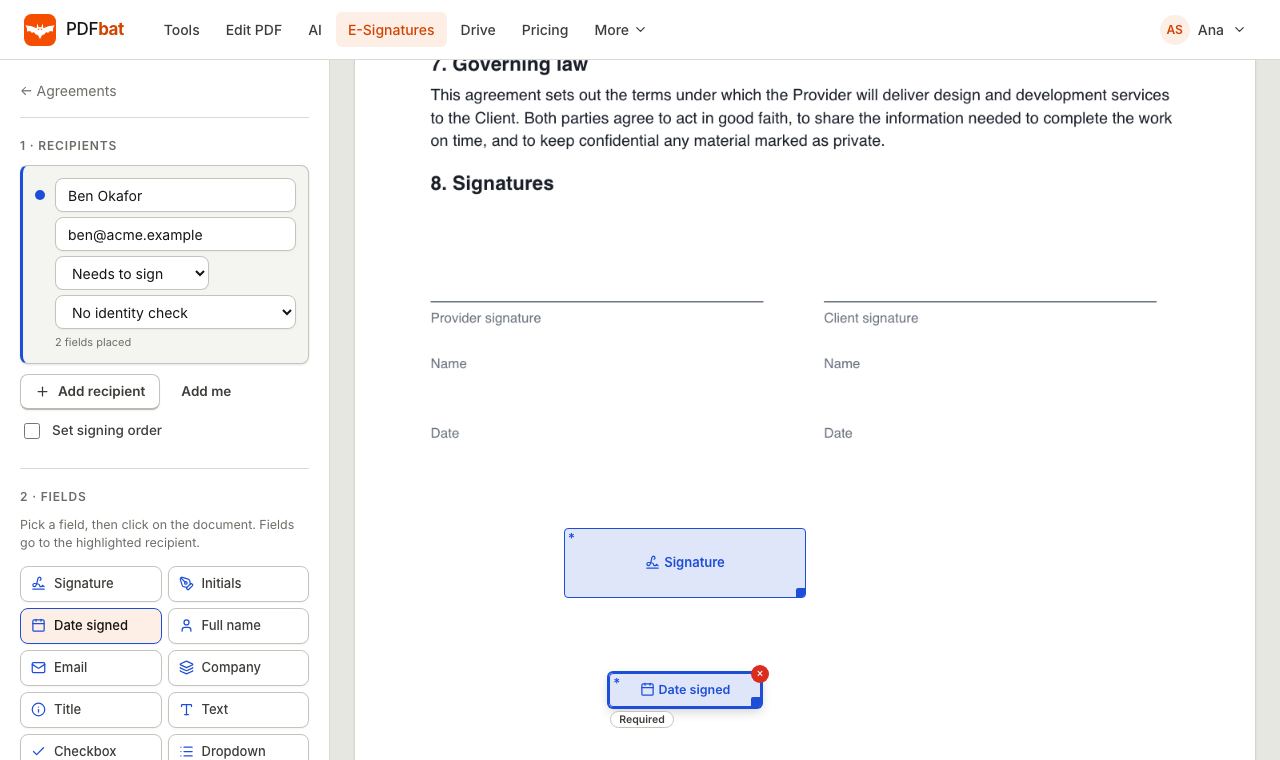 E-SignaturesSend PDFs for legally binding e signatures with signing order, identity checks, reminders and a sealed final PDF.
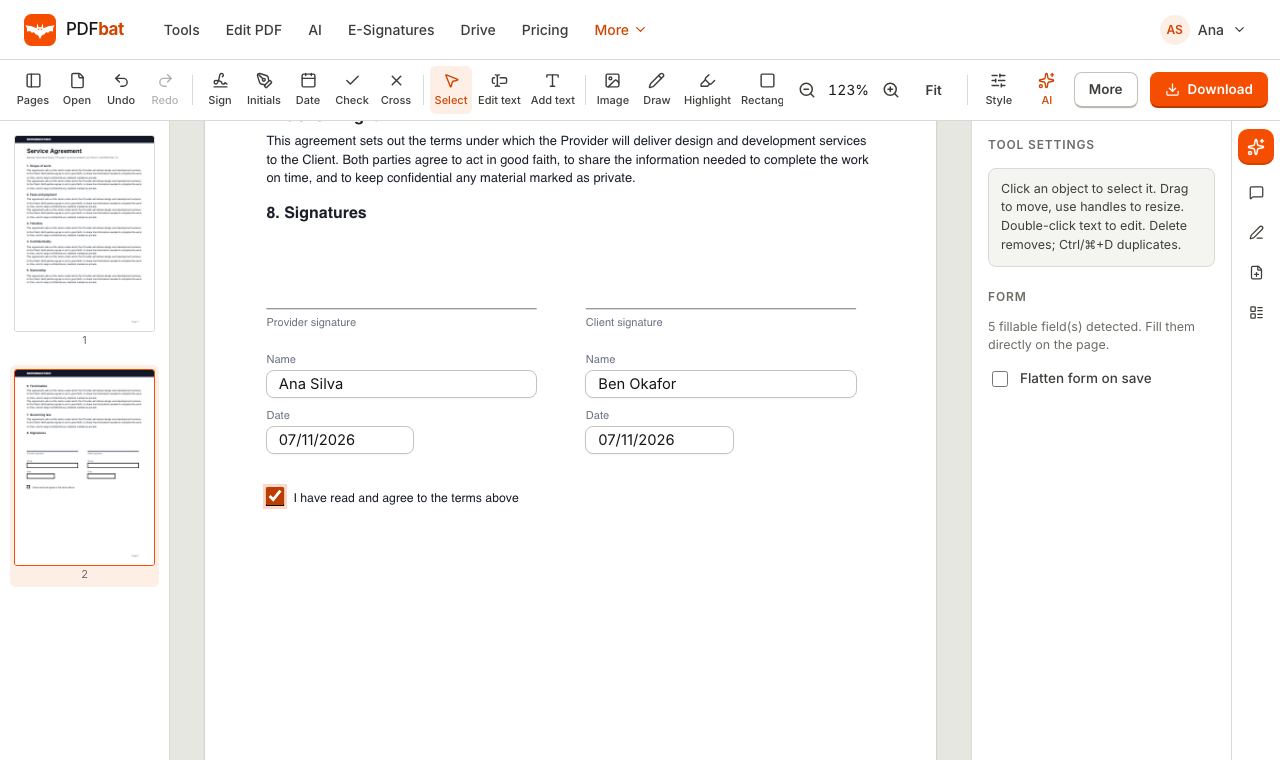 Fill and SignFill PDF forms, sign, add initials, dates and checkmarks, then flatten and download.
 Extract Invoice Data from PDFPull vendor, dates, line items and totals out of invoice PDFs and scans into CSV or JSON.
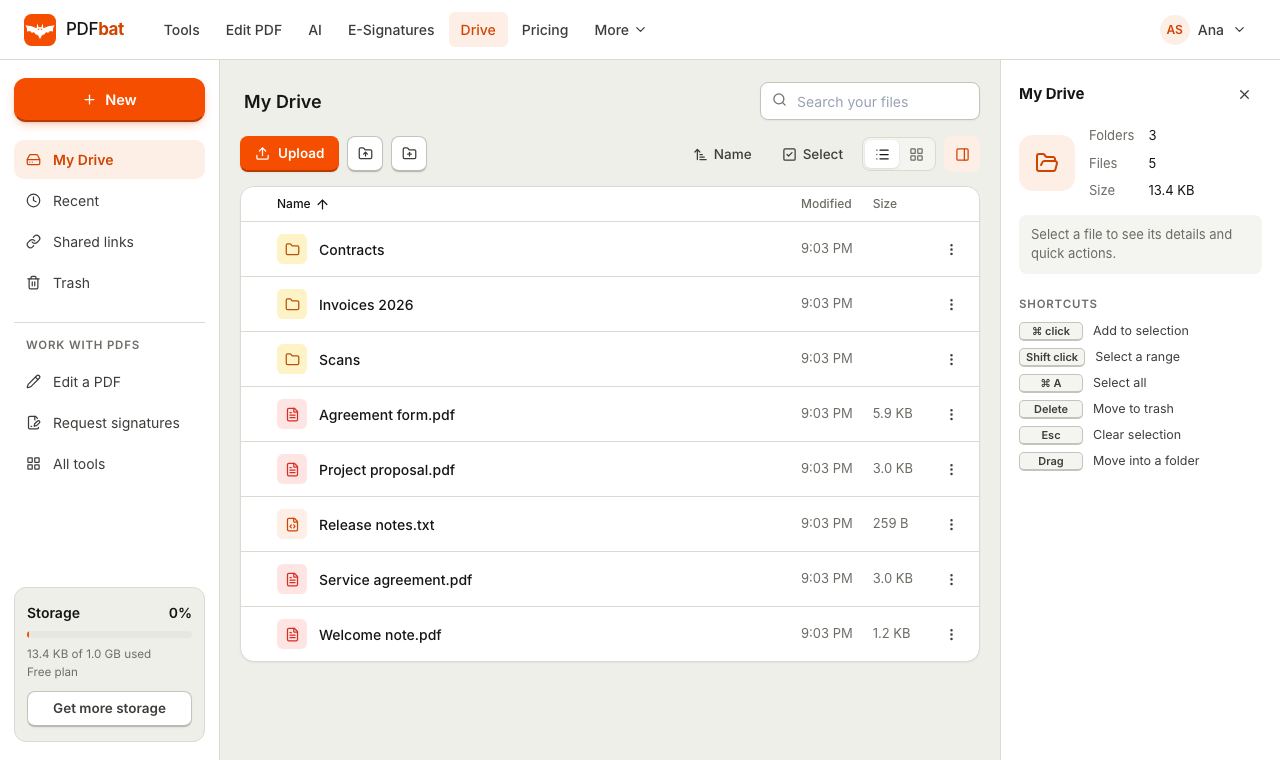 Cloud DrivePrivate cloud storage for PDFs with folders, share links and every tool result saved automatically.
Create your invoice now
Choose a template, add your details and download a clean invoice PDF.