How to Redact a PDF Permanently for Free (and Why Black Boxes Are Not Enough)
Every year, confidential details leak from court filings, government reports and company documents because someone "redacted" a PDF by drawing black boxes over the text. The box hides the words on screen, but the text is still in the file. Anyone can select it, copy it, search for it or simply delete the box. If you need to redact a PDF permanently for free, you need a tool that deletes the underlying content, not one that paints over it.
This guide shows two reliable ways to do that with PDFbat, explains every option, and covers the situations that catch people out: scanned documents, numbers split across lines, metadata, and how to prove the redaction actually worked.
Why black boxes and highlighters do not redact
A PDF is built in layers. Text is stored as real characters with positions on the page. When you draw a black rectangle in a typical editor, the rectangle is added as a new shape on top. The characters underneath are untouched. That causes several problems:
- Copy and paste reveals everything. Select the area and paste it into a text editor and the "hidden" text appears.
- Search finds it. Ctrl or Cmd and F will jump straight to the words you thought you hid.
- The box can be removed. Anyone with a PDF editor can select the rectangle and delete it.
- Search engines and screen readers read it. Text under a box is still indexed and still read aloud.
The same applies to black highlighter, white rectangles, changing the text colour to white, or covering things with an image. Real redaction deletes the characters, image pixels and graphics from the file, then optionally draws a black box where they used to be so readers can see something was removed.
Two ways to redact a PDF permanently
| Method | Best for | How it finds content |
|---|---|---|
| --- | --- | --- |
| Redact PDF (search) | Names, numbers and emails that appear many times | Searches the text on every page |
| Editor, Redact tool (area) | Signatures, photos, stamps, scans, specific blocks | You drag a box over the area |
You can use both on the same document. Run the search redaction first to catch every repeated name, then open the result in the editor to remove a signature or photo.
Option 1: Find and redact text automatically
This is the fastest way to remove the same information everywhere in a long document. You need a free PDFbat account (a username and password) and nothing to install.
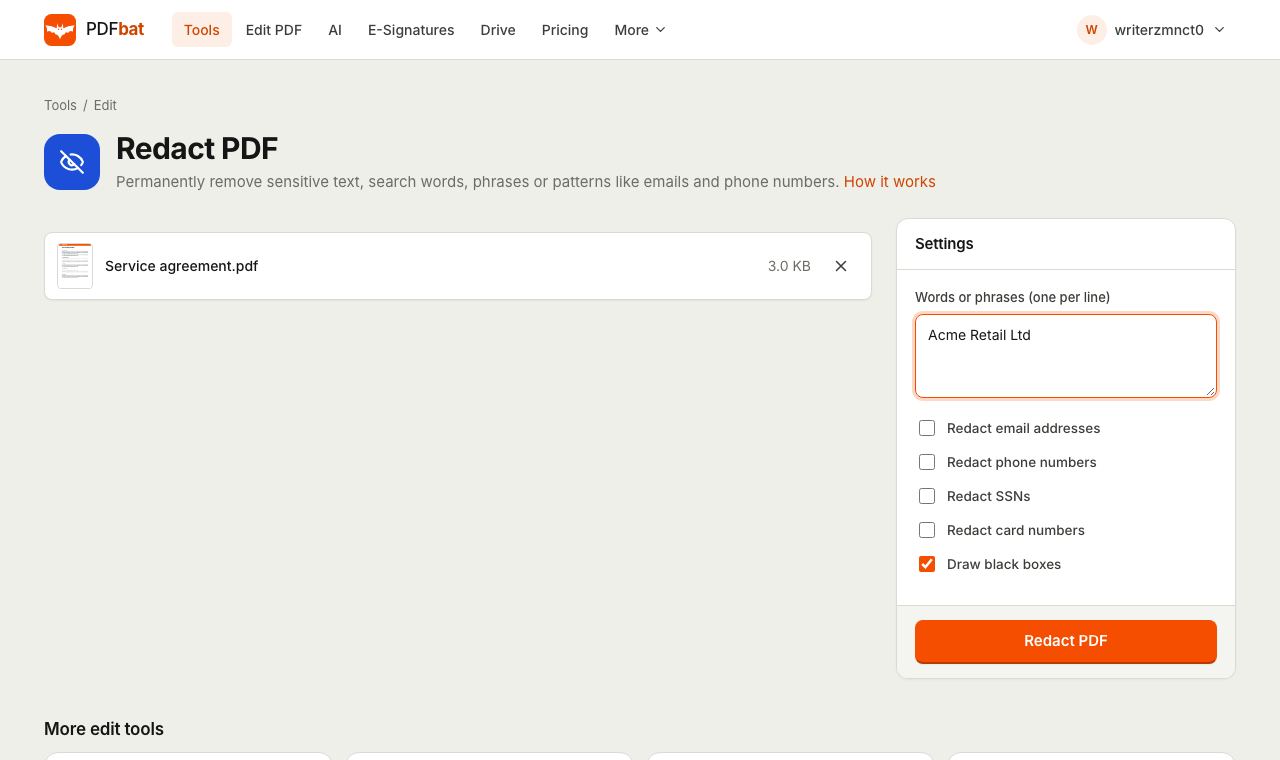
- Open Redact PDF and sign in.
- Upload your PDF. Free accounts can upload files up to 25 MB.
- In Words or phrases, type each item you want removed on its own line. For example a full name, a case number, an address line or an account number.
- Tick any built in patterns you want to catch:
- Redact email addresses finds anything shaped like [email protected].
- Redact phone numbers finds sequences of roughly nine or more digits, including spaces, brackets, dots and a leading plus sign.
- Redact SSNs finds US Social Security numbers written in the standard format of three, two and four digits separated by hyphens.
- Redact card numbers finds 13 to 16 digit card numbers, with or without spaces between the groups.
- Leave Draw black boxes ticked if you want the classic redacted look. Untick it to remove the text and leave blank space instead.
- Click Redact PDF.
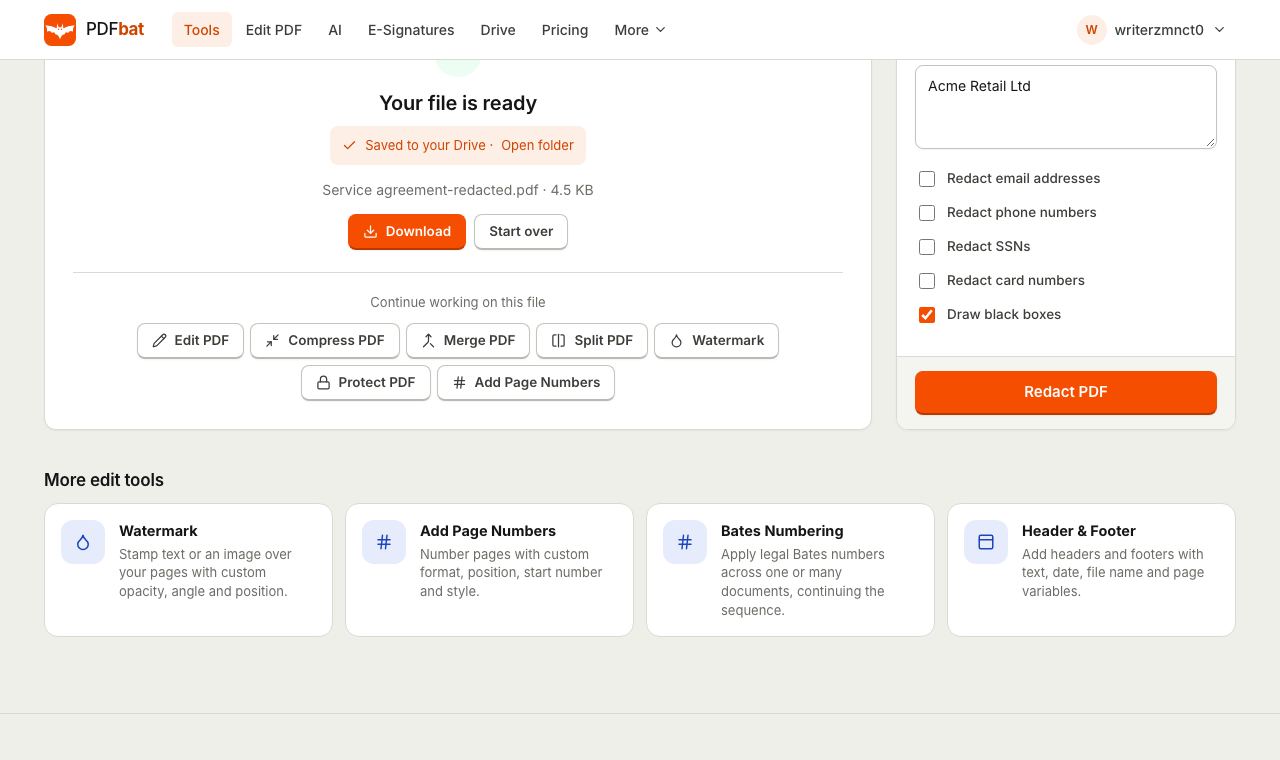
Every match on every page is deleted from the file. The result downloads and a copy is saved to your PDFbat Drive (1 GB on the free plan). If nothing matched, the tool tells you instead of producing an unchanged file, which is a useful early warning that your search terms do not match the text in the document.
Writing good search terms
- Add every variation. "John Smith", "J. Smith", "Smith, John" and "Mr Smith" are different strings. Put each on its own line.
- Search for the distinctive part. For an account number, the full number is safest. If it appears formatted in different ways, add each format.
- Do not forget surnames alone. Documents often switch to just the surname after the first mention.
- Watch line breaks. A name split across two lines may not match as one phrase. Add the first and last name as separate lines if you are worried.
- Avoid very short terms. Redacting "Jo" would remove those letters from every word that contains them, such as "job" and "major".
Option 2: Redact by drawing boxes in the editor
Use this for anything that is not searchable text: handwritten signatures, photos, ID card images, stamps, QR codes, logos, or entire paragraphs you want gone.
- Open the PDFbat editor and upload the PDF.
- Choose Redact from the toolbar.
- Drag a box over each area you want removed. Cover the whole area with a little margin.
- Scroll through every page and repeat.
- Click Download.
Everything inside each box is permanently removed: text, the image pixels underneath, and any lines or shapes covered by it. This is the method to use for scanned documents.
Redacting scanned PDFs and photos of documents
A scanned page is a single image. It looks like text to you, but the file contains no characters, so the search based Redact PDF tool will find nothing and report no matches. Use area redaction in the editor instead. Because it removes the image pixels under the box, the redacted area is genuinely blank in the file, not covered.
Tips for scans:
- Zoom in before drawing, so the box covers every letter, including descenders like "g" and "y".
- Check the edges of the page and the back of any scanned forms for handwritten notes.
- If the scan is very large, reduce it with Compress PDF first so it loads quickly in the editor.
Redacting on a phone, Mac or Windows PC
On iPhone and Android, both methods work in Safari or Chrome. Search redaction is easiest on a small screen because you only type terms. For area redaction, turn the phone sideways and zoom in before dragging.
On Mac, Preview does not offer true redaction in every version, and its drawing tools only add shapes on top. Use a real redaction tool instead of a shape.
On Windows, Microsoft Edge's PDF viewer can draw and highlight but does not remove content. Adobe Acrobat Pro has a proper redaction feature, but it needs a paid subscription. PDFbat does the job in the browser on any PC, including locked down work machines where you cannot install software.
Do not forget hidden information
Visible text is not the only place sensitive data lives in a PDF.
Metadata
Document properties can contain the author's name, the company, the original title and the software used. Open Edit Metadata, tick Remove all metadata and save before sharing.
Comments and form fields
Annotations and filled form fields sit on top of the page and can hold names or notes. Search redaction removes matches in the page text. If you have comments or form data you want to keep as part of the page, flatten the file first, then redact.
File names
A file called Smith divorce settlement final.pdf gives away what you just redacted. Rename the redacted copy before you share it.
How to check that a redaction worked
Never assume. Spend one minute testing the redacted file before sending it.
- Search for each term. Open the redacted PDF and use Find for every name and number you removed. There should be zero results.
- Copy everything. Press Ctrl or Cmd and A, copy, and paste into a plain text editor. Read through it for anything that should not be there.
- Try to move the boxes. Open the file in any editor and try selecting a black box. There is nothing underneath to reveal.
- Check the metadata. In your PDF reader, open the document properties and confirm the author and title fields are clean.
- Look at every page. Especially headers, footers and page margins, where names and reference numbers often repeat.
Common problems and fixes
"No matches found to redact." The text you typed does not appear in the document's text layer. Check spelling and spacing, try a shorter part of the phrase, or the file may be a scan, in which case use the editor.
Some occurrences were missed. They are probably written differently, for example with a line break, extra space or different formatting. Add those variations as separate lines and run the redaction again on the redacted copy.
Too much was removed. A short or common term matched inside other words. Start again from your original with a more specific phrase. Redaction cannot be reversed, which is why you keep the original.
The phone pattern caught other numbers. Long reference numbers and dates written as digits can look like phone numbers. Review the result, and if it matters, use specific terms instead of the pattern.
The file is too big to upload. Free accounts accept up to 25 MB. Compress the PDF first, or split it and redact each part.
Comparison with desktop software
| PDFbat | Adobe Acrobat Pro | Drawing shapes in a free editor | |
|---|---|---|---|
| --- | --- | --- | --- |
| Truly removes content | Yes | Yes | No |
| Search and pattern redaction | Yes, terms plus emails, phones, SSNs, cards | Yes | No |
| Area redaction of images and scans | Yes, in the editor | Yes | No, only covers |
| Cost | Free (10 tasks a day), Pro $4 a month | Paid subscription | Free |
| Install needed | No | Yes | Varies |
Security and privacy notes
- Files travel over an encrypted connection and results are stored in your private Drive, visible only to your account.
- The original you uploaded still contains the sensitive information. Keep it somewhere private or delete it from your Drive once you have checked the result.
- Redaction removes information for everyone who receives the file. If you also want to control who can open it, add a password afterwards with Protect PDF. The password protection guide shows how to share the password safely.
- If you received a protected file and need to redact it, remove the password first with the current password, as explained in how to remove a password from a PDF.
Summary
To redact a PDF permanently, delete the content instead of covering it. Use Redact PDF to remove names, numbers, emails and phone numbers everywhere at once, use the editor's Redact tool for signatures, photos and scans, strip the metadata, and always test the result with search and copy before you send it.
Frequently asked questions
How can I check a redaction worked?
Open the redacted PDF, press Ctrl or Cmd and A to select all text, and paste it into a text editor. The redacted words should not appear anywhere. Also search the PDF for each term.
Does redaction remove images too?
Area redaction in the editor removes text, image pixels and any graphics covered by the box. Search redaction removes the matching text and covers it.
Can redaction be undone?
No, that is the point. The content is deleted from the file, not hidden. Keep your original somewhere safe before redacting.
Can I redact a scanned PDF?
Yes, but use area redaction in the editor. A scan is a picture of text, so word search will not find anything. Drawing a box removes the image pixels underneath.
Is it free?
Yes. A free account gives you 10 tasks a day on files up to 25 MB. Pro is $4 a month for unlimited tasks.
Can I redact without the black boxes?
Yes. In Redact PDF, untick Draw black boxes and the matched text is removed with blank space left in its place.