How to Add a CONFIDENTIAL or DRAFT Watermark to a PDF
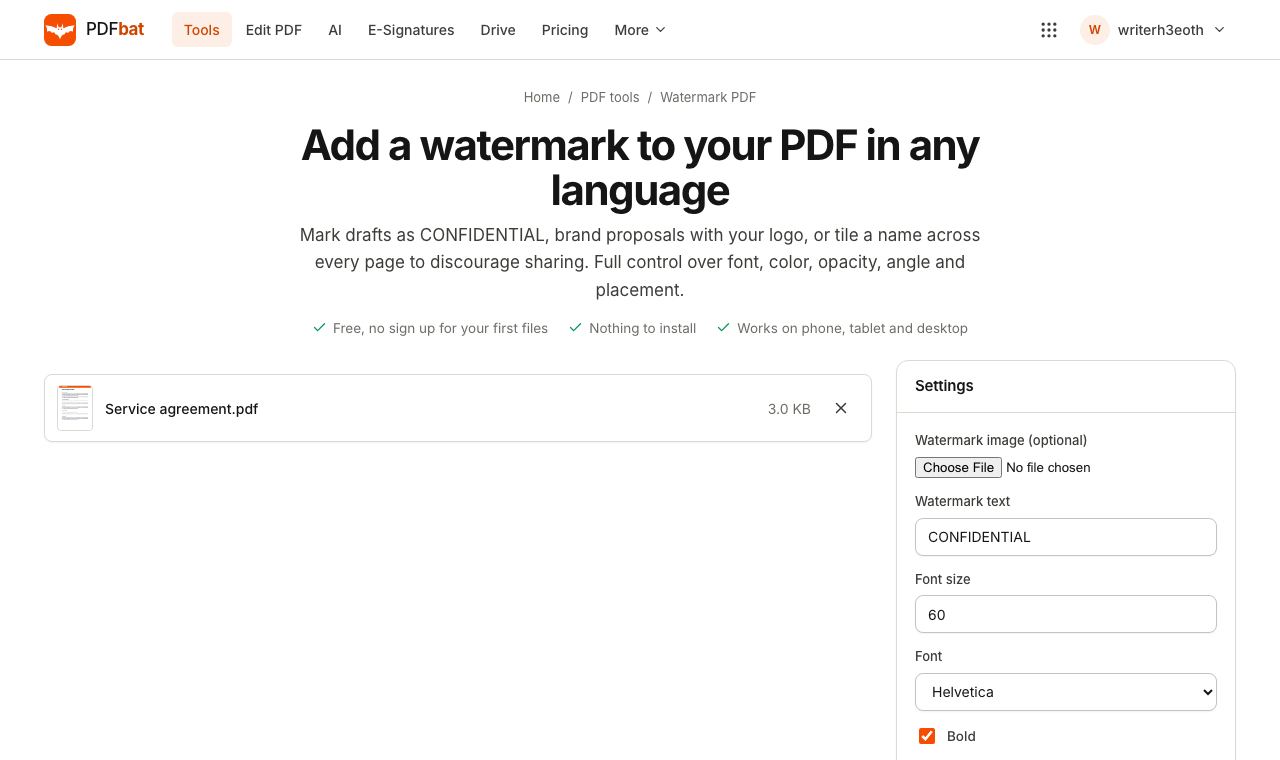
To add a CONFIDENTIAL watermark to a PDF, open PDFbat's Watermark tool, upload the file and click Watermark. The defaults are already set for the most common case: CONFIDENTIAL in bold red Helvetica, 25 percent opacity, 45 degrees, centred on every page. Change the text to DRAFT, a client's name or "Do not copy", tile it across the page, or use your logo instead, then download the stamped PDF.
This guide covers which settings to use for which job, how to watermark only certain pages, logo watermarks and how much protection a watermark really gives.
Why add a watermark to a PDF
A watermark is a visible label printed across the page. It does three jobs:
- Tells readers how to treat the document. CONFIDENTIAL, INTERNAL, DRAFT, SAMPLE, COPY or NOT FOR DISTRIBUTION.
- Shows the version. A DRAFT stamp stops a half finished contract or quote being mistaken for the final one.
- Traces leaks. A watermark with the recipient's name ("Prepared for Acme Retail") makes each copy personal; people think twice before forwarding a document with their name on it.
How to add a CONFIDENTIAL watermark, step by step
- Open Watermark.
- Upload your PDF.
- Check Watermark text. It already says
CONFIDENTIAL; type something else if you need to. - Adjust the look if you want (settings explained below).
- In Pages, leave
allor type specific pages. - Click Watermark and download the result. The file name ends in
-watermarked, and if you're signed in a copy goes to your Drive.
You can try a few files without an account. A free account gives 10 tasks a day on files up to 25 MB.
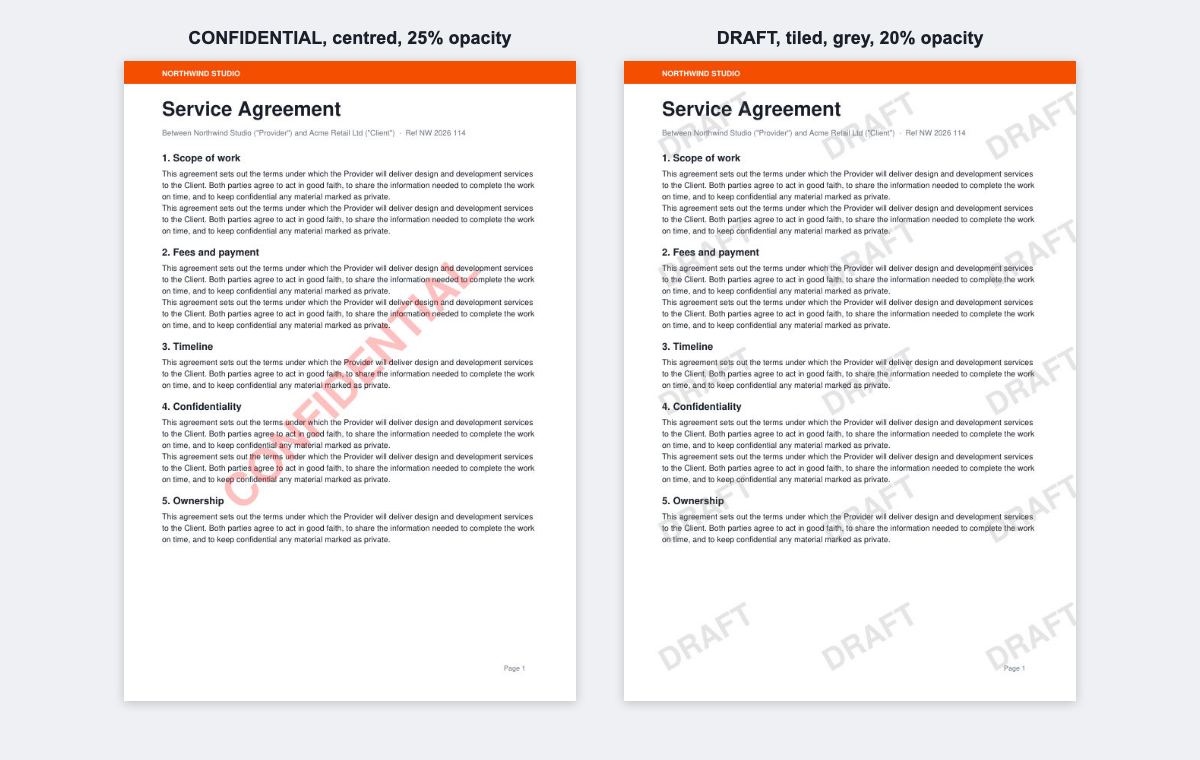
Here is how the defaults look next to a tiled DRAFT mark, both straight out of PDFbat:
Every setting explained
| Setting | Default | What it does |
|---|---|---|
| Watermark text | CONFIDENTIAL | The words to stamp |
| Font size | 60 | Size in points; at 45°, CONFIDENTIAL in size 60 spans about half an A4 page's width |
| Font | Helvetica | Helvetica, Times or Courier |
| Bold | On | Heavier letters stay readable at low opacity |
| Color | Red | Any colour |
| Opacity | 25% | 5% (barely there) to 100% (solid) |
| Angle | 45° | 0 for horizontal, 45 for diagonal, 90 for vertical |
| Position | Center | Center, Tiled, Top or Bottom |
| Image scale | 50% | For logo watermarks: width as a share of the page |
| Pages | all | Which pages get the mark |
| Place behind content | Off | Puts the mark under the text instead of over it |
Choosing the opacity
This is the setting that matters most. Too faint and nobody notices; too strong and nobody can read the document.
- 15-20%: subtle; for internal documents people will read closely.
- 25% (default): clearly visible, text underneath still easy to read.
- 30-40%: hard to miss; good for DRAFT on documents that must not be signed by accident.
- 50% and up: for samples, proofs and previews, where making the content harder to use is the point.
Choosing a colour
Red is the classic for CONFIDENTIAL because it reads as a warning. Grey (#808080) is calmer and works well for DRAFT, COPY or a company name. Light blue or your brand colour suits client-facing documents. Avoid black at high opacity; it competes with the text.
Center, Tiled, Top or Bottom
- Center puts one large mark in the middle of each page. Clean and readable.
- Tiled repeats the mark in a grid across the whole page. Harder to crop out of a screenshot or photocopy, and better for documents that will be shared outside your company. Use a smaller font size (30-40) when tiling so the page doesn't drown.
- Top and Bottom place a single line in the header or footer area. Set Angle to
0for a neat horizontal banner, such as "Internal use only".
Place behind content
Normally the mark sits on top of the page, which is why opacity matters. Tick Place behind content to put it underneath the text so the words stay perfectly crisp. The catch: if a page has a solid background, such as a full page photo, coloured slide background or scanned page, the background covers the mark and it disappears. Use it for plain white documents.
Watermarking only some pages
Type the pages in the Pages box:
| You type | Watermark appears on |
|---|---|
all | Every page |
1 | The cover only |
2-last | Everything except the cover |
1-3 | The first three pages |
2, 5, 8 | Those pages only |
odd or even | Alternate pages |
To put different marks on different pages (CONFIDENTIAL on the body, nothing on the cover, and SAMPLE on an appendix), run the tool more than once on the result, each time with different text and pages.
Using your logo as a watermark
- In the Watermark tool, add a PNG or JPEG in Watermark image (optional). When an image is added, it is used instead of the text.
- Set Image scale to the logo's width as a percentage of the page width: 30-50% for a centred mark, 15-20% for tiling.
- Keep Opacity low, around 10-20%, since logos are usually darker and more solid than text.
- Use a PNG with a transparent background if you have one. A JPEG always has a rectangular background, which shows up as a faint box.
A personal watermark for each recipient
If you send the same document to several people, stamping each copy with the recipient's name is one of the most effective deterrents against leaks.
- Run Watermark with text such as
Prepared for Acme Retail · 26 Nov 2026, Position Tiled or Bottom, at 15-20% opacity. - Download, then run the original again for the next recipient.
It takes a minute per copy, and if a copy turns up where it shouldn't, you know whose it was.
How much protection does a watermark give?
Be realistic about this. In PDFbat, the watermark is drawn into the page content itself, not added as a comment or a layer that a reader can switch off. That means:
- It can't be hidden or deleted in an ordinary PDF reader.
- It prints and appears in screenshots and photocopies.
- Text watermarks are real text, so the word appears when someone searches the document or copies a passage. That's usually a plus, because copied passages carry the label with them.
But a determined person with a PDF editor could still cover it, crop around a small mark, or rebuild the page. A watermark is a label and a deterrent, not a lock. For real protection, combine it with:
- A password, so only the right people can open the file. See how to password protect a PDF.
- Redaction, so sensitive details aren't in the copy at all. See how to redact a PDF permanently.
- Flattening, so form answers can't be retyped. See what flattening a PDF does.
A sensible order for a confidential document is: redact, flatten if it is a form, watermark, then add a password last. Adding the password last matters, because tools need to open the file to change it.
Watermark versus header, footer and page numbers
A watermark is for a status or ownership label. For running text like a document title, a date or a case reference on every page, a header or footer is neater; PDFbat's Header & Footer tool does that, and our guide to adding page numbers to a PDF covers numbering.
Common problems and fixes
- The watermark is hard to read. Raise the opacity, switch Bold on or pick a darker colour.
- The document is hard to read. Lower the opacity to 15-20%, or tick Place behind content on plain white pages.
- The watermark vanished with Place behind content. The page has a solid background. Untick it and lower the opacity instead.
- The mark runs off the page. The text is too long for the font size. Lower the font size, or use Tiled.
- My logo has a white box around it. It's a JPEG or a PNG without transparency. Use a transparent PNG.
- The tool says the PDF is password protected. Unlock it first with the password you know, watermark, then protect it again. See removing a password from a PDF.
- Sideways pages got a sideways watermark. The mark follows each page as you see it. If pages are turned the wrong way, rotate them before watermarking.
Privacy and limits
Files are uploaded over HTTPS and processed in memory. If you're signed in, the watermarked PDF is stored only in your private Drive, where you can delete it at any time. A free account gives 10 tasks a day with files up to 25 MB; Pro ($10.99 a month) removes the daily limit and takes files up to 100 MB.
Frequently asked questions
How do I add a CONFIDENTIAL watermark to a PDF for free?
Open Watermark in PDFbat, upload the PDF and click Watermark. The text is already set to CONFIDENTIAL in red at 25 percent opacity and 45 degrees, centred on every page. Change any setting first if you like.
What opacity should a watermark be?
Between 15 and 30 percent for text over a document people still need to read. Use 40 percent or more only for samples you don't want used, such as a proof or preview.
Can I put the watermark on only some pages?
Yes. Type the pages in the Pages box, such as 1 for the cover only, 2-last to skip the cover, or odd and even.
Can I use my logo as a watermark?
Yes. Add a PNG or JPEG in the watermark image box. Set Image scale to choose its width as a percentage of the page, and keep the opacity low.
Can someone remove the watermark?
It is drawn into the page itself, not added as a removable comment, so it can't be switched off or deleted in a normal reader. Someone with a PDF editor and time could still work around it, so treat a watermark as a label, not a lock.
Will the watermark show up when someone searches or copies text?
Yes, a text watermark is real text, so the word appears in search results and in copied text. That is usually harmless, and it helps show where a copied passage came from.